Creem
Configure the Creem gateway.
MuseMVP integrates Creem as one of its payment gateways, offering a payment solution for indie developers without a US entity. Through the unified Muse Billing module, it shares the same business logic and database tables as Stripe. This guide explains how to configure the Creem gateway and understand how it works.
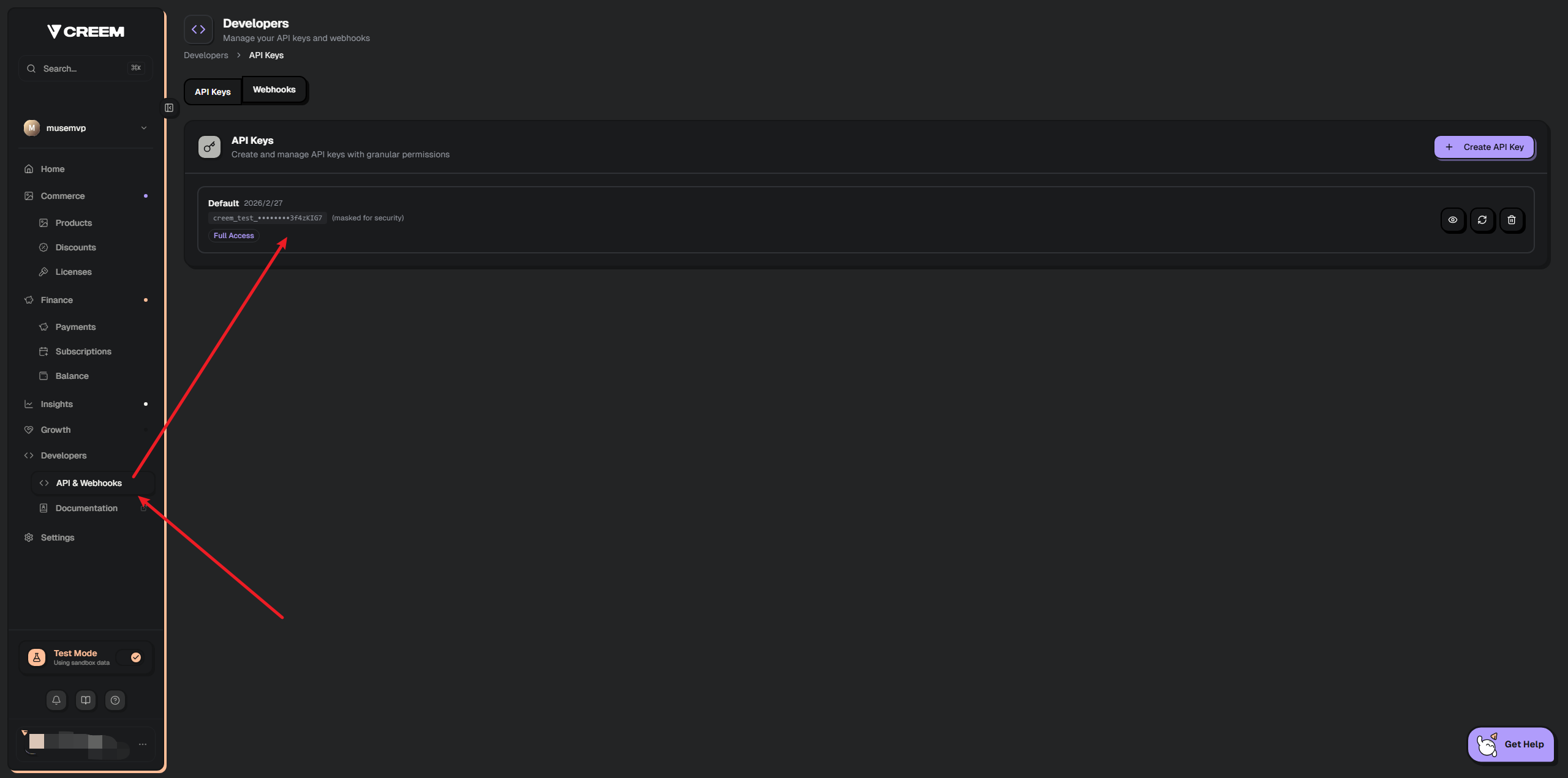
Get the Creem API key
Retrieve your API key from the Creem Dashboard. Paste the API key and environment (sandbox or production) into Admin → Runtime settings (/app/admin/settings), not into .env.
Key Security
Gateway credentials are encrypted in the database. Never expose them to the client or version control.
Get the Creem webhook secret
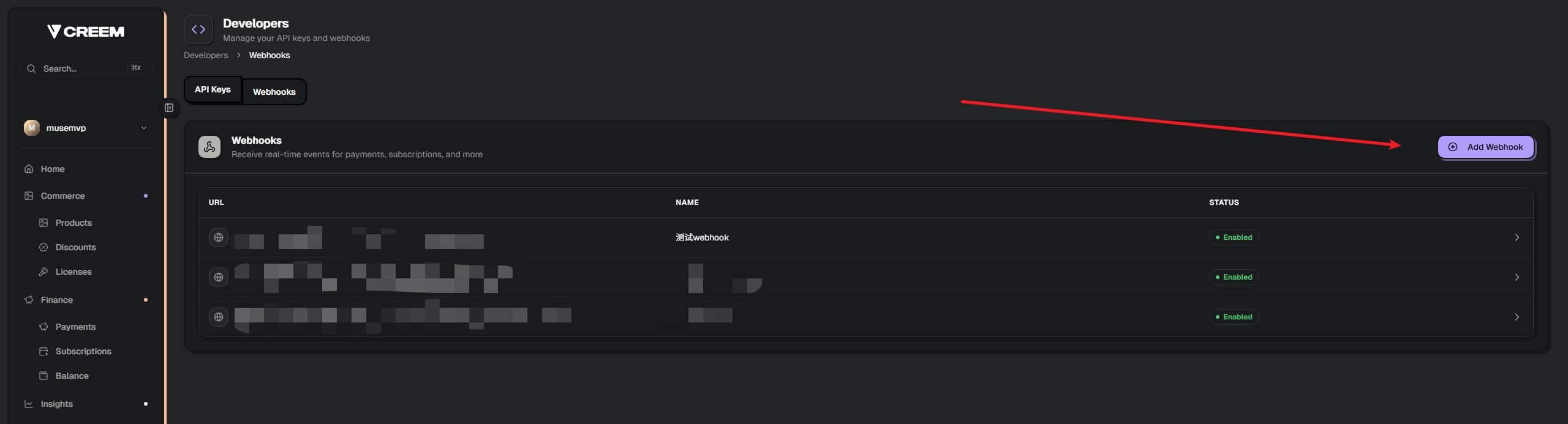
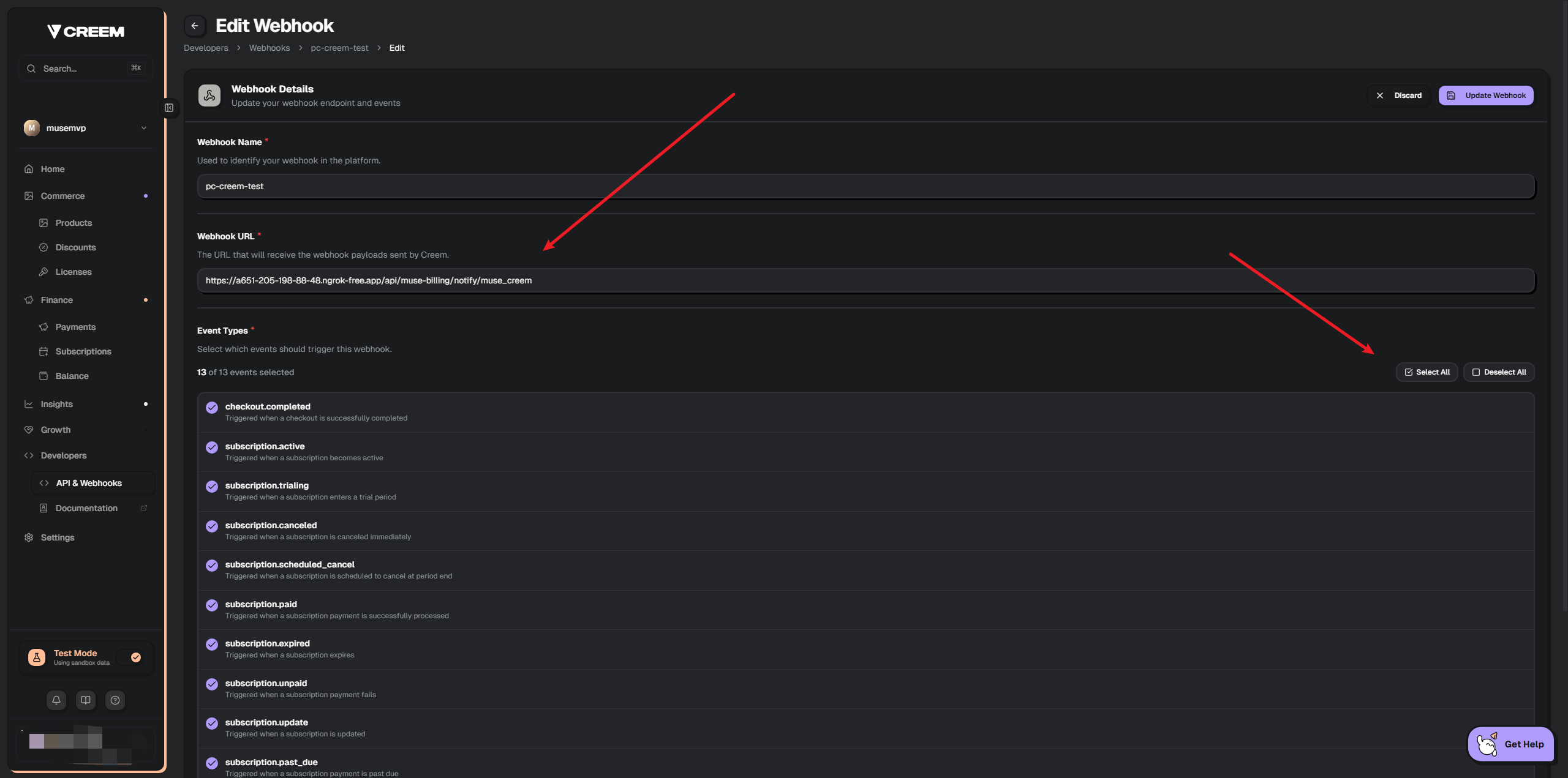
In the Creem Dashboard, create a Webhook and set the callback URL to:
https://example.com/api/muse-billing/notify/muse_creemSelect the event types to listen for (or all):
checkout.completedsubscription.activesubscription.canceledsubscription.updated
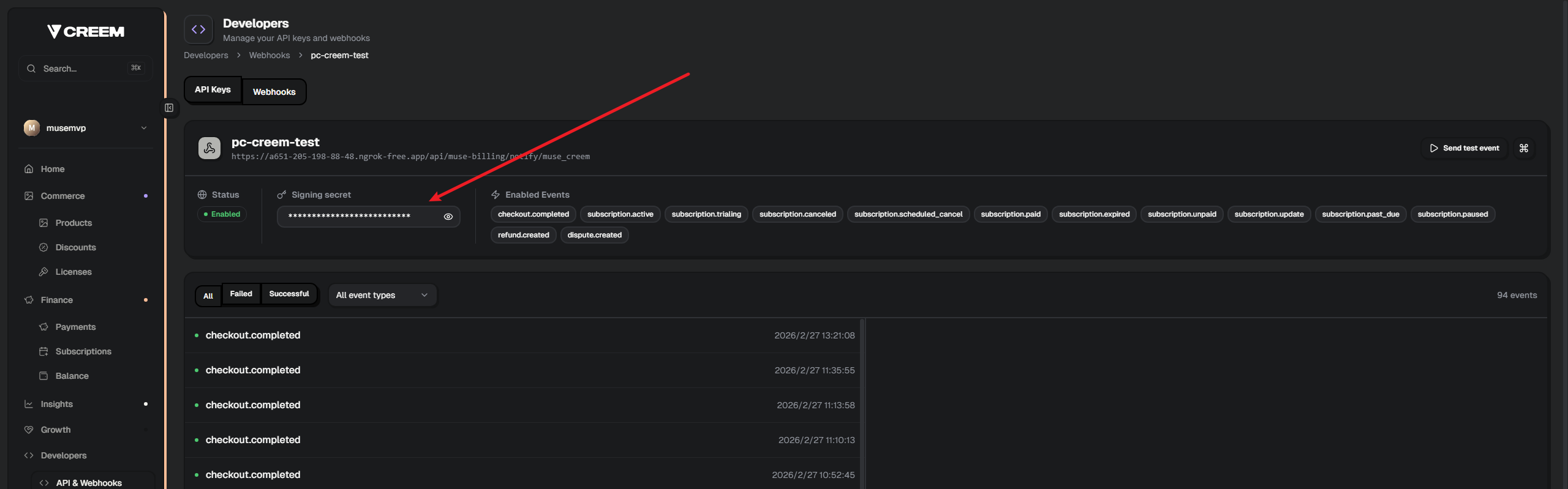
Copy the Webhook secret into Admin → Runtime settings. After saving, confirm the same secret is still configured on the Creem side.
Key Security
The webhook secret is stored encrypted in the database. A mismatch with Creem will reject every webhook.
Create Products and Get Product IDs
Checkout product IDs are stored in Admin → Runtime settings (billing.productMap). The public pricing UI uses stable app plan IDs (pro_monthly, pro_yearly, lifetime).
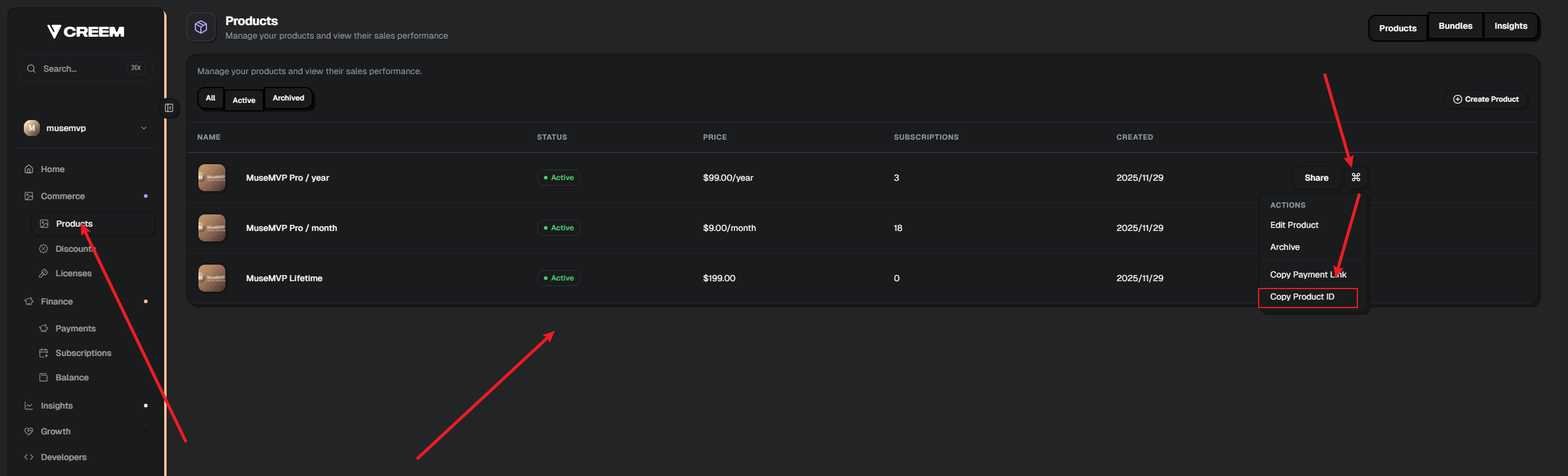
After creating the corresponding products in the Creem Dashboard, paste the product IDs into the admin product map.
Local Development Testing
Download Ngrok
Ngrok (https://dashboard.ngrok.com/get-started/setup/windows) is a reverse proxy tool that exposes your local development server to the public internet.
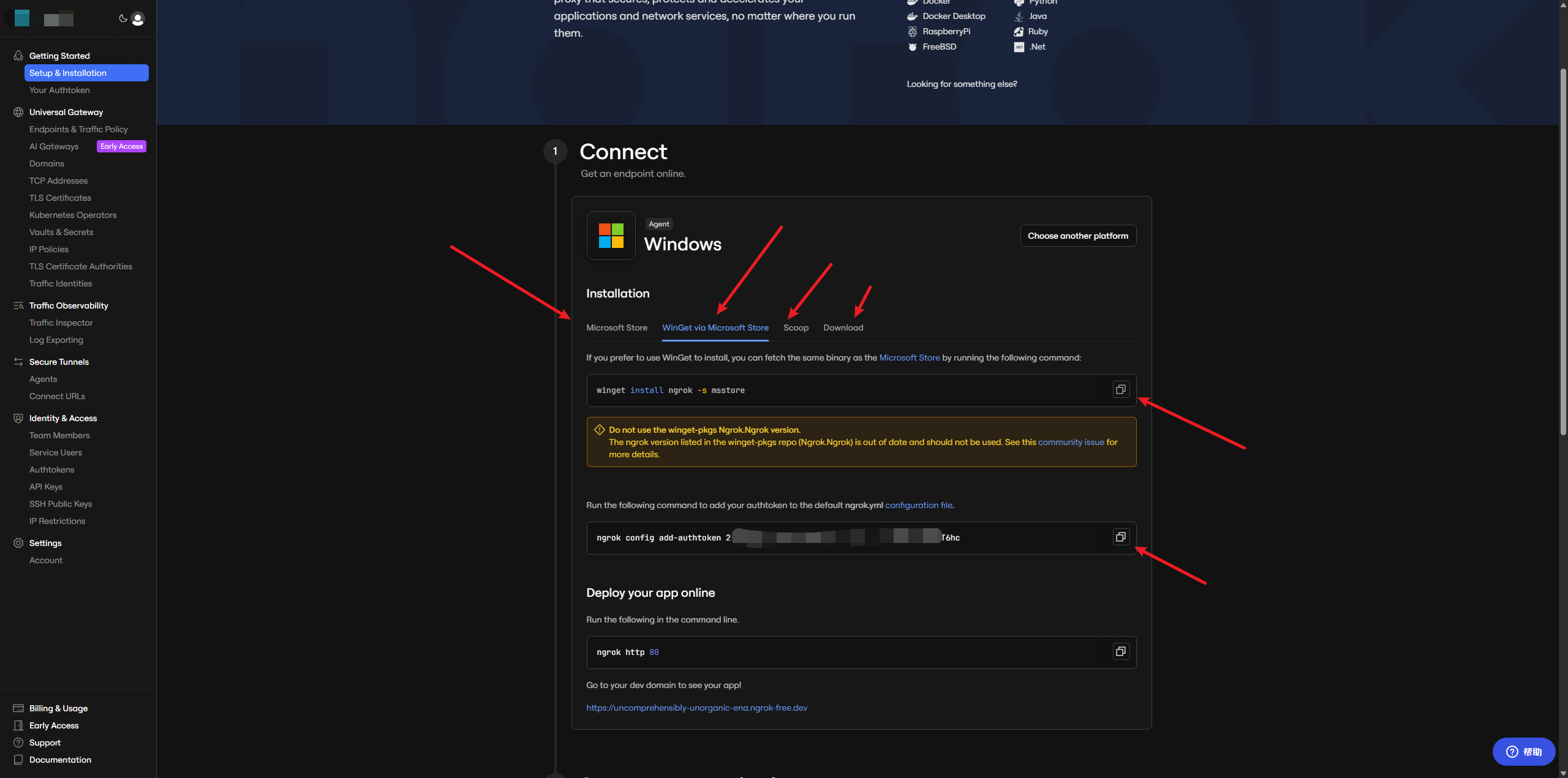
Run
ngrok http 3000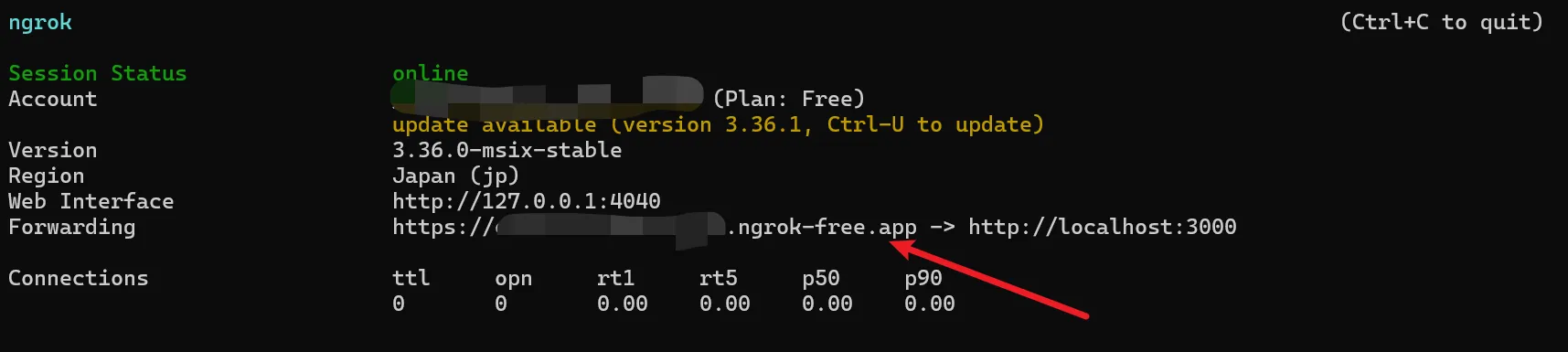
Callback Domain
Use the terminal domain shown above as the callback URL in your Webhook configuration.
Switch to Sandbox Environment
Ensure the Creem environment in Admin → Runtime settings is sandbox and use Creem's test mode in the Dashboard to run payment tests.
Test Mode
Payments in the Creem sandbox environment do not result in real charges, making it safe for local testing of subscription and one-time purchase flows.
How It Works
Learn how Muse Billing integrates Creem into the system.
Integration Files
| File | Purpose |
|---|---|
muse-creem-gateway.ts | Creem gateway implementation: launch, Webhook parsing, contract sync. |
orchestrator.ts | Billing orchestration layer: launch, customer-hub, Webhook dispatch. |
router.ts | API routes: exposes /api/muse-billing/* endpoints. |
Core Workflow
The action flow for payment and accessing the Customer Hub:
Frontend calls POST /api/muse-billing/launch with productId, optional gatewayId (defaults to orchestrator selection), etc.
Server resolves the Creem price ID from the stored billing.productMap settings.
Creem returns launchUrl and launchSessionId; frontend redirects to the Creem-hosted checkout page.
After payment, Creem sends a webhook; the server verifies the signature and syncs contract lifecycle and access window to the database.
When the user needs to access the platform portal, call POST /api/muse-billing/customer-hub to get a redirect link to the Creem Customer Portal for managing subscriptions or downloading receipts.
Related Docs
- Stripe Payment Gateway — Alternative payment gateway
- Dodo Payments Gateway — Alternative payment gateway
- Waffo Pancake Gateway — Alternative payment gateway
- Runtime Settings — Gateway credentials, default gateway, and checkout product IDs
- Basic Configuration — Pricing catalog and stable plan IDs