Mail System
Complete guide to email pipeline, template development, local preview, and locale fallback rules.
MuseMVP supports Resend and Cloudflare Email Sending as mail providers, with React Email for template rendering. The unified sendEmail() entry supports both template mode and raw mode, with locale-based email subjects.
Setup Steps
Configure provider credentials
RESEND_API_KEY="re_xxx"Configure sender and support addresses
NEXT_PUBLIC_EMAIL_FORM="[email protected]"
NEXT_PUBLIC_EMAIL_FORM_SUBSCRIBE="[email protected]"
NEXT_PUBLIC_EMAIL_TO="[email protected]"
NEXT_PUBLIC_EMAIL_SUPPORT="[email protected]"
Local Preview
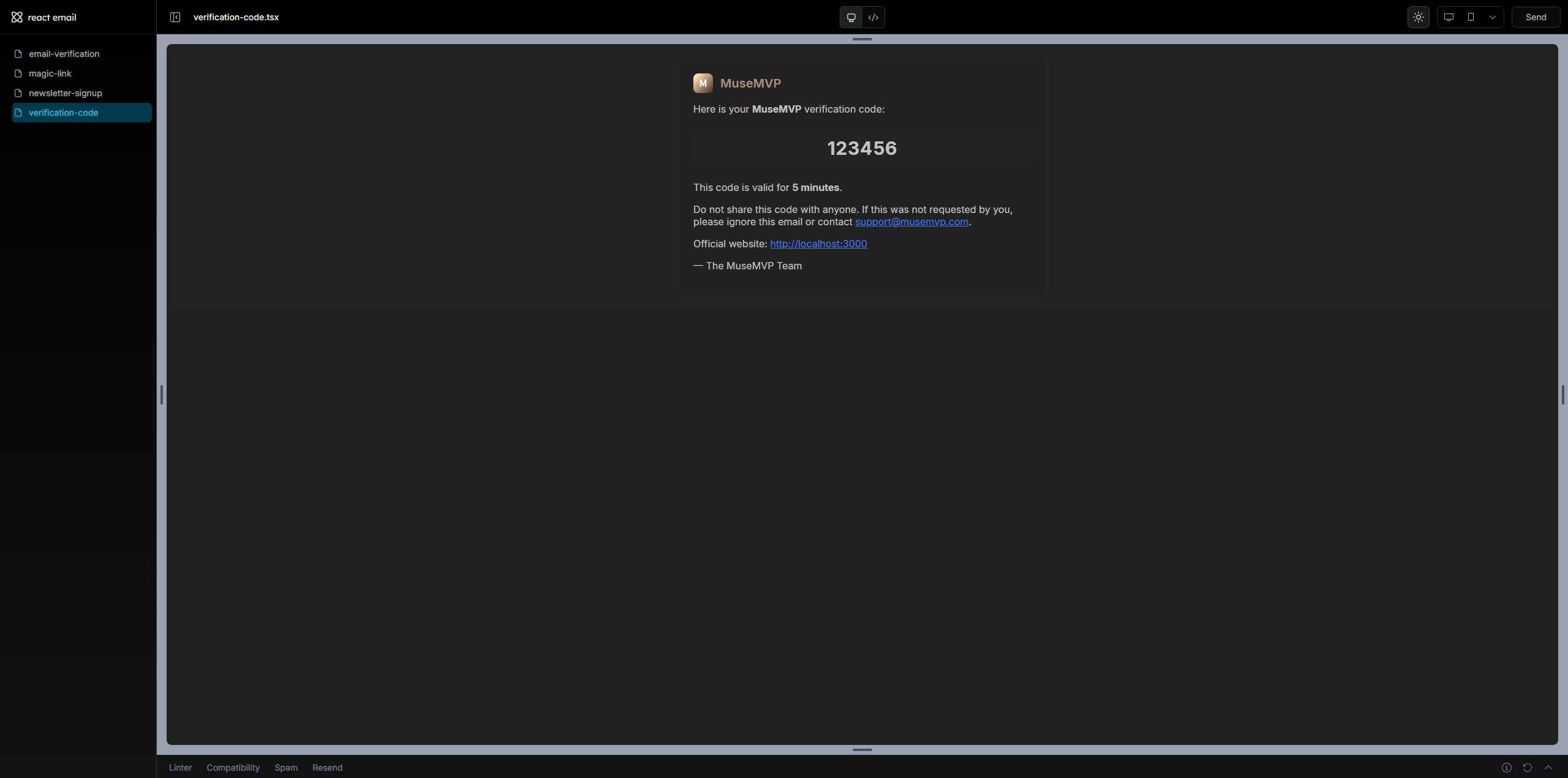
Use the built-in preview script to develop and test templates without sending real emails:
pnpm mail:previewOpen http://localhost:4100 in your browser to view all templates. Each template file should have a default export, and optional PreviewProps for easier testing.
Add a New Template
1. Create the template file
Create src/modules/mail/templates/account-alert.tsx:
import { Markdown } from "@react-email/components";
import { Wrapper } from "@/modules/mail/components";
import type { BaseMailProps } from "@/modules/mail/types";

export function AccountAlert({ locale, reason }: { reason: string } & BaseMailProps) {
  if (locale === "zh") {
    return (
      <Wrapper locale={locale}>
        <Markdown>账户提醒:{reason}</Markdown>
      </Wrapper>
    );
  }
  return (
    <Wrapper locale={locale}>
      <Markdown>Account alert: {reason}</Markdown>
    </Wrapper>
  );
}

AccountAlert.PreviewProps = { locale: "zh", translations: {}, reason: "demo" };
export default AccountAlert;
2. Register the template ID
Add this in src/modules/mail/templates/index.ts:
accountAlert: AccountAlert,3. Add subject translations
Update src/i18n/translations/en/mail.json and zh/mail.json:
{
  "mail": {
    "accountAlert": {
      "subject": "[{appName}] Account Alert"
    }
  }
}
4. Call from backend
await sendEmail({
  to: user.email,
  locale,
  templateId: "accountAlert",
  context: { reason: "New device login" },
});
Common Issues
Preview works but sending fails
First verify MAIL_PROVIDER, then check provider credentials and sender domain/address settings.
| Issue | Solution |
|---|---|
| Empty subject | Ensure mail.<templateId>.subject exists in mail.json |
| Template not found | Register it in src/modules/mail/templates/index.ts |
| Resend sending fails | Verify RESEND_API_KEY and sender domain in Resend |
| Cloudflare sending fails | Verify CLOUDFLARE_ACCOUNT_ID, CLOUDFLARE_API_TOKEN, and token permissions for Email Sending API |