S3 Object Storage
Guide to Cloudflare R2/S3 CORS, credential variables, signed upload URLs, and avatar proxy access configuration.
MuseMVP wraps a generic S3-compatible file upload API that works with AWS S3, Cloudflare R2, or self-hosted MinIO. It is used for user avatars, provides every user with an in-account Storage asset management page, and can be extended for other file types.
Setup Steps
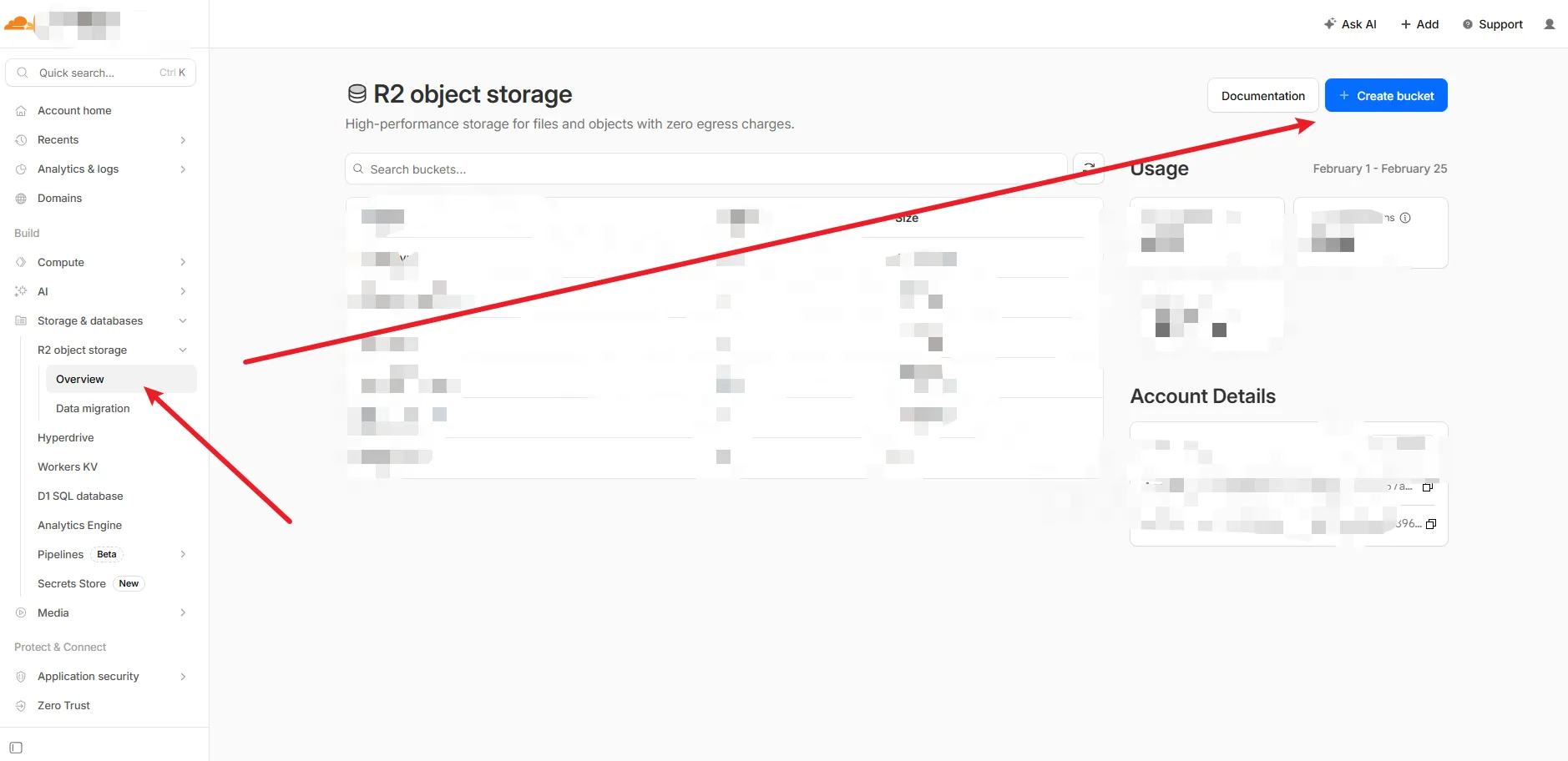
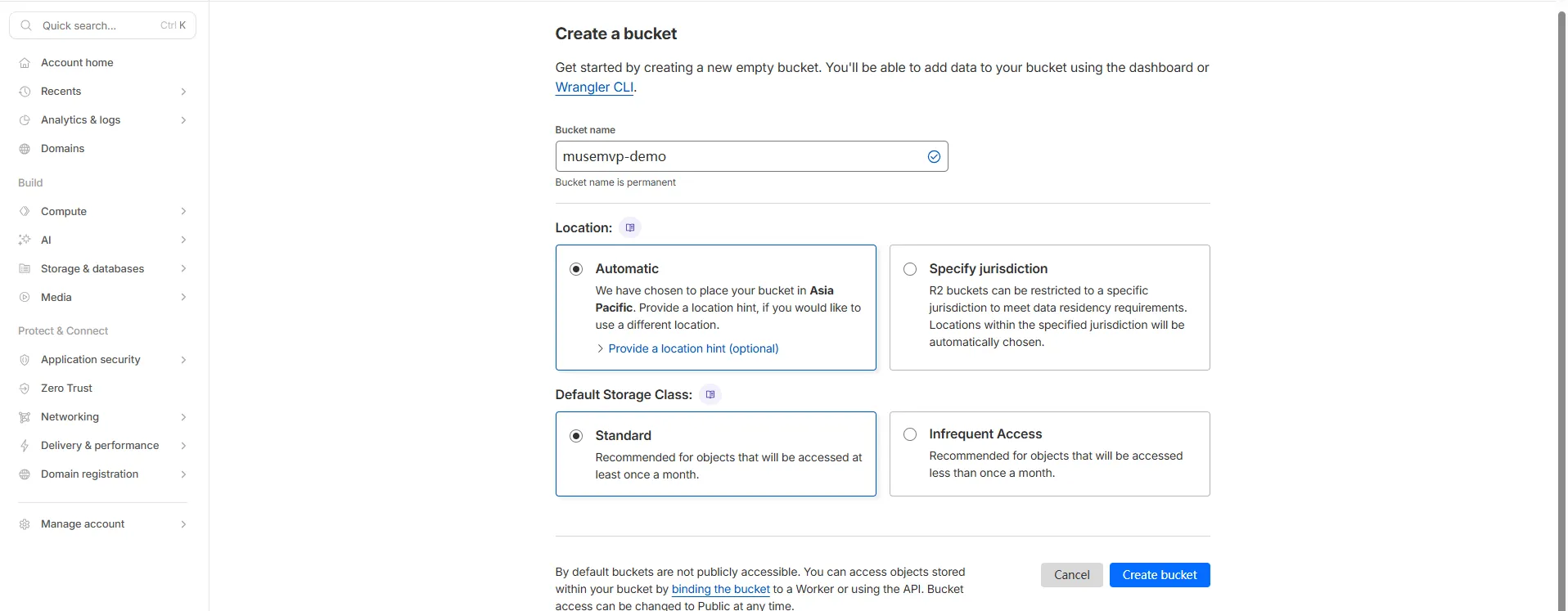
Configure CORS
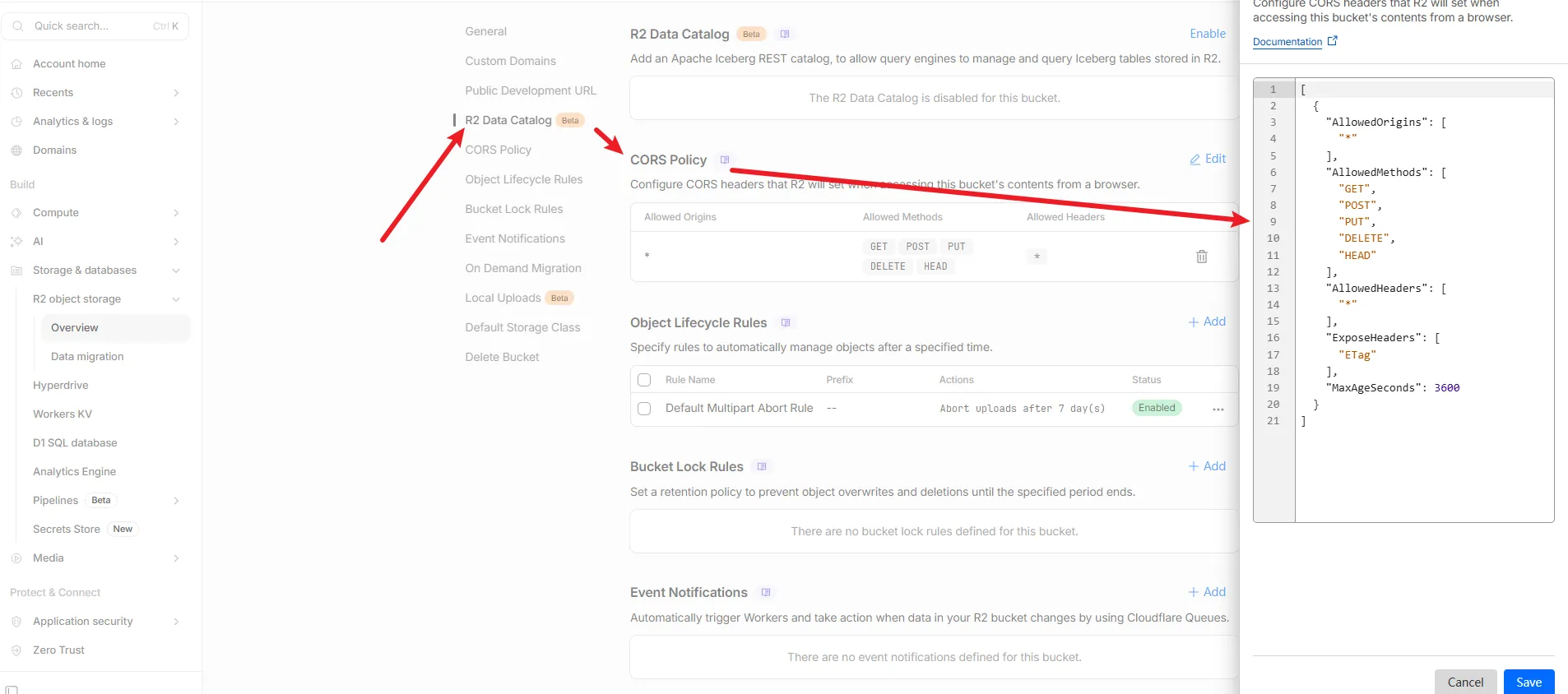
[
  {
    "AllowedOrigins": [
      "*"
    ],
    "AllowedMethods": [
      "GET",
      "POST",
      "PUT",
      "DELETE",
      "HEAD"
    ],
    "AllowedHeaders": [
      "*"
    ],
    "ExposeHeaders": [
      "ETag"
    ],
    "MaxAgeSeconds": 3600
  }
]
Tip
CORS configuration allows the frontend to access your Cloudflare R2 bucket. Adjust it for your actual requirements, especially AllowedOrigins.
Create S3 credentials, then paste them in Admin settings
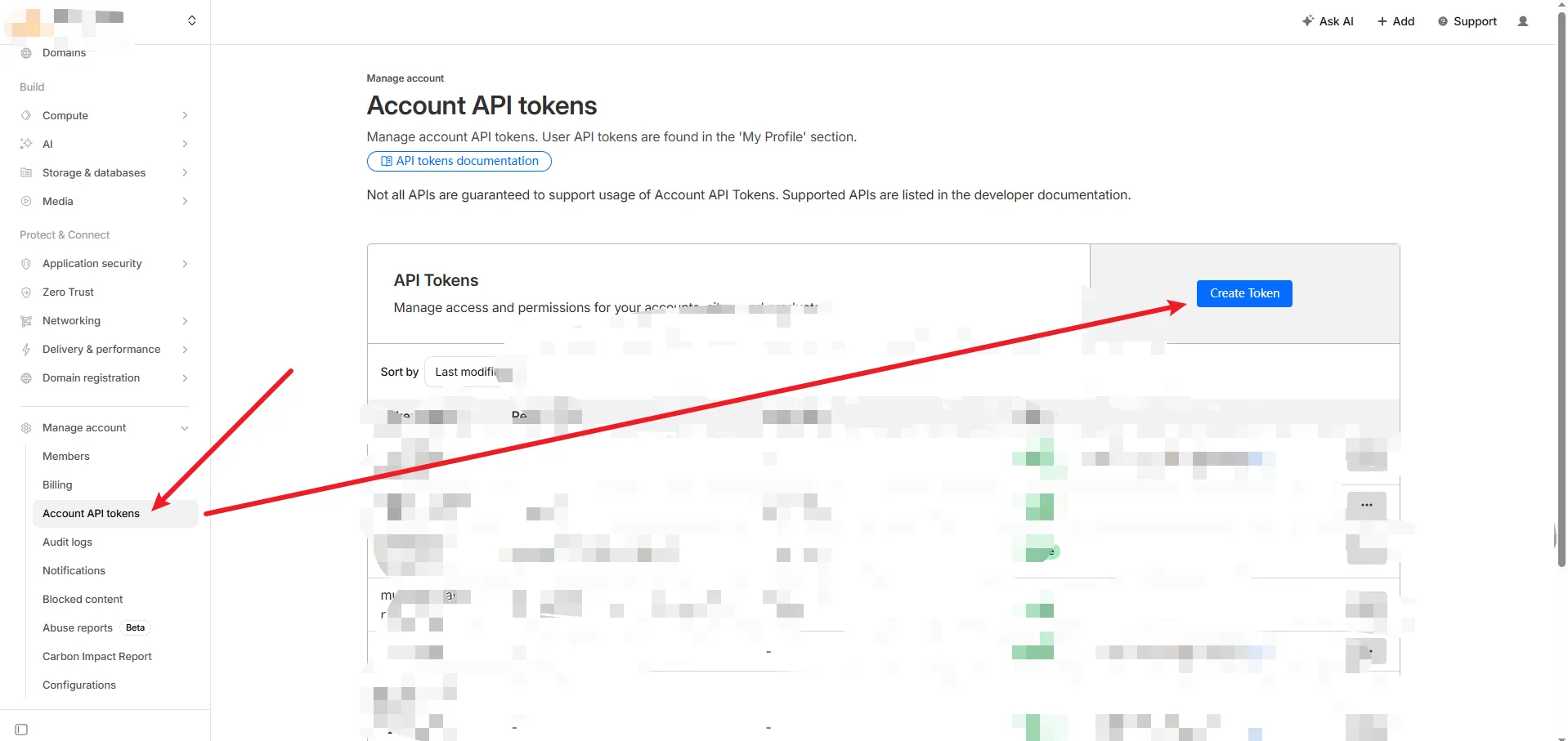
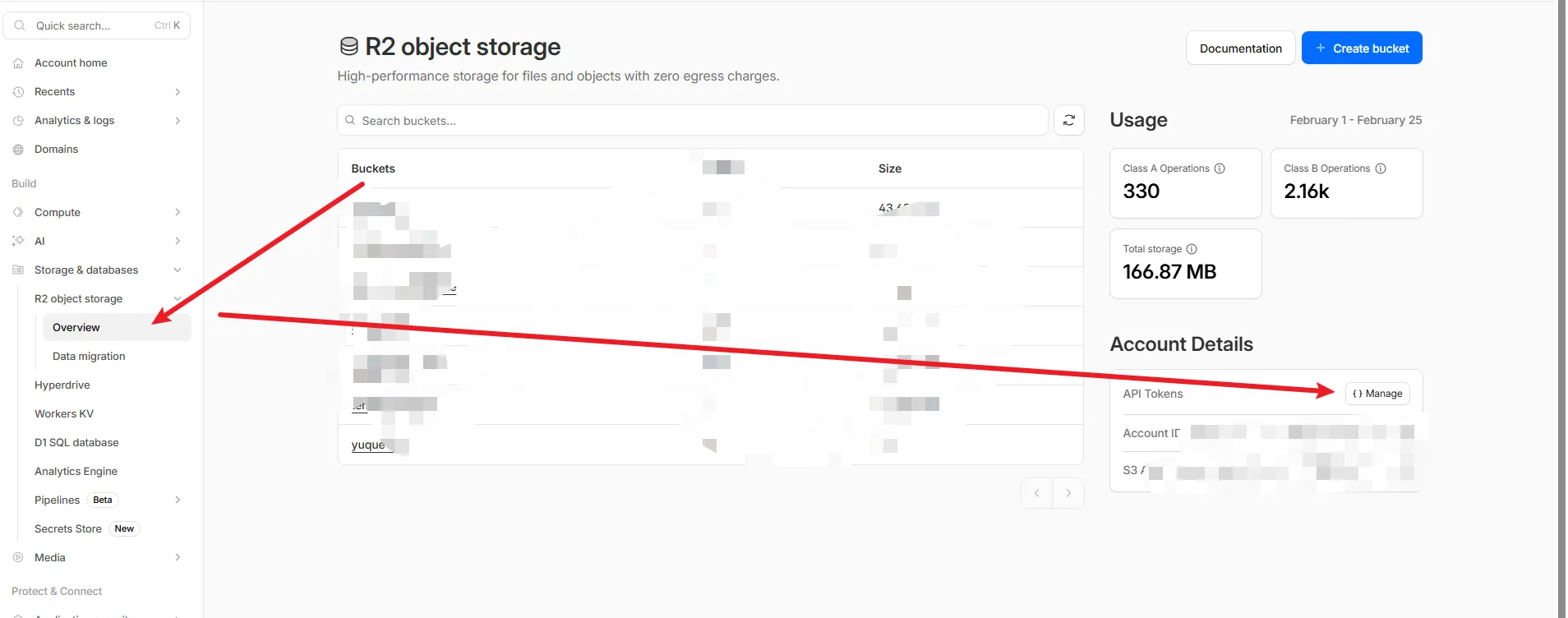
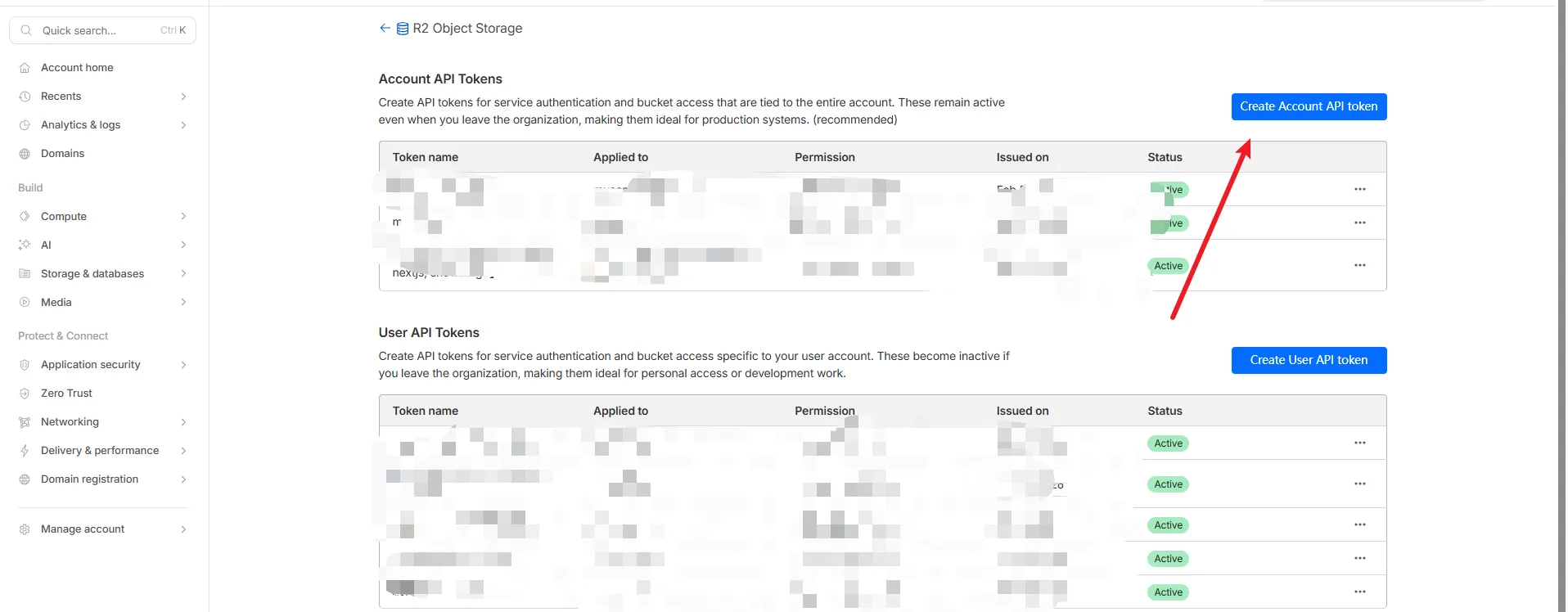
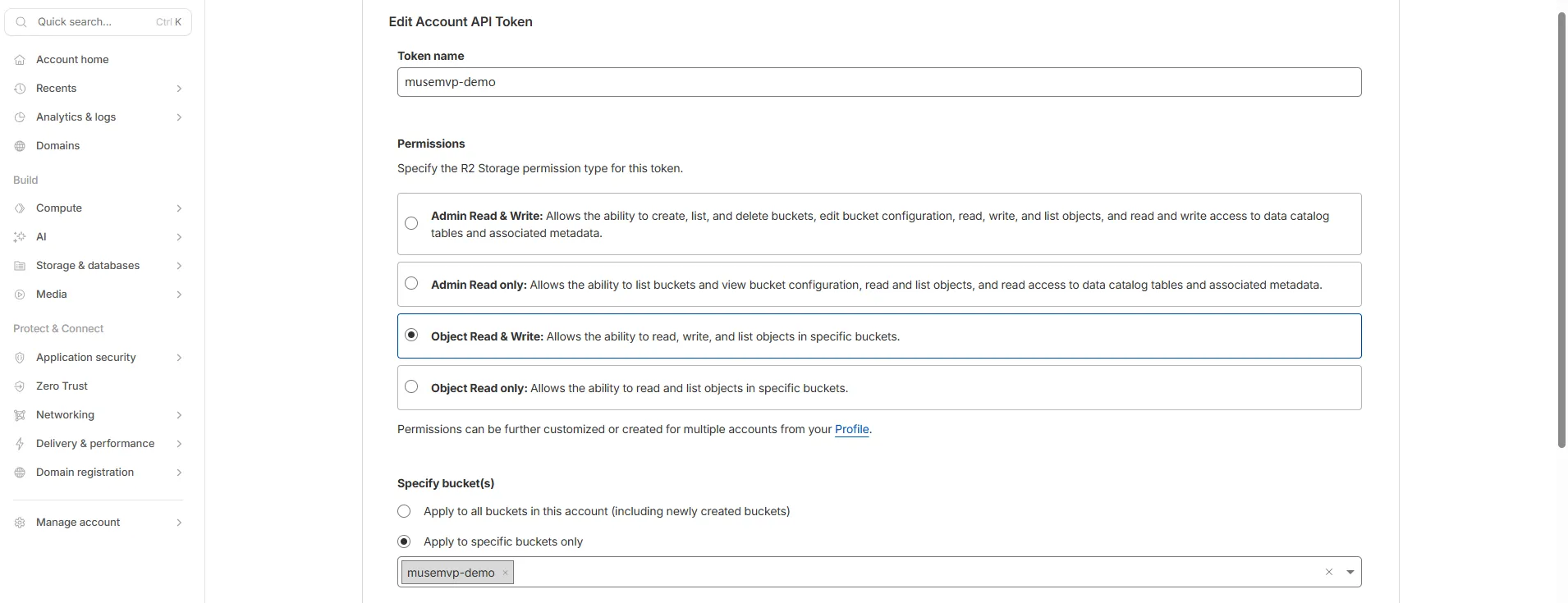
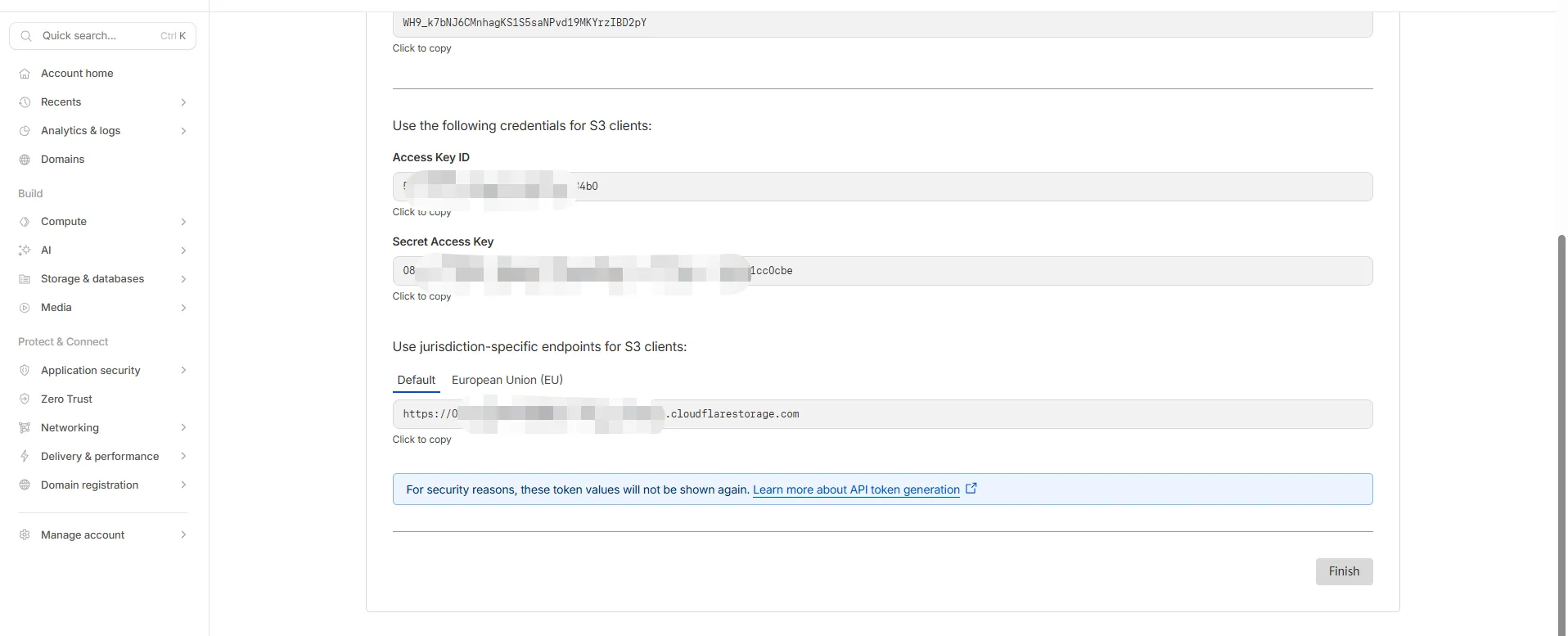
Copy the access key, secret key, and endpoint into Admin → Runtime settings (/app/admin/settings). Runtime code does not read S3_* environment variables.
Configure the avatars bucket name
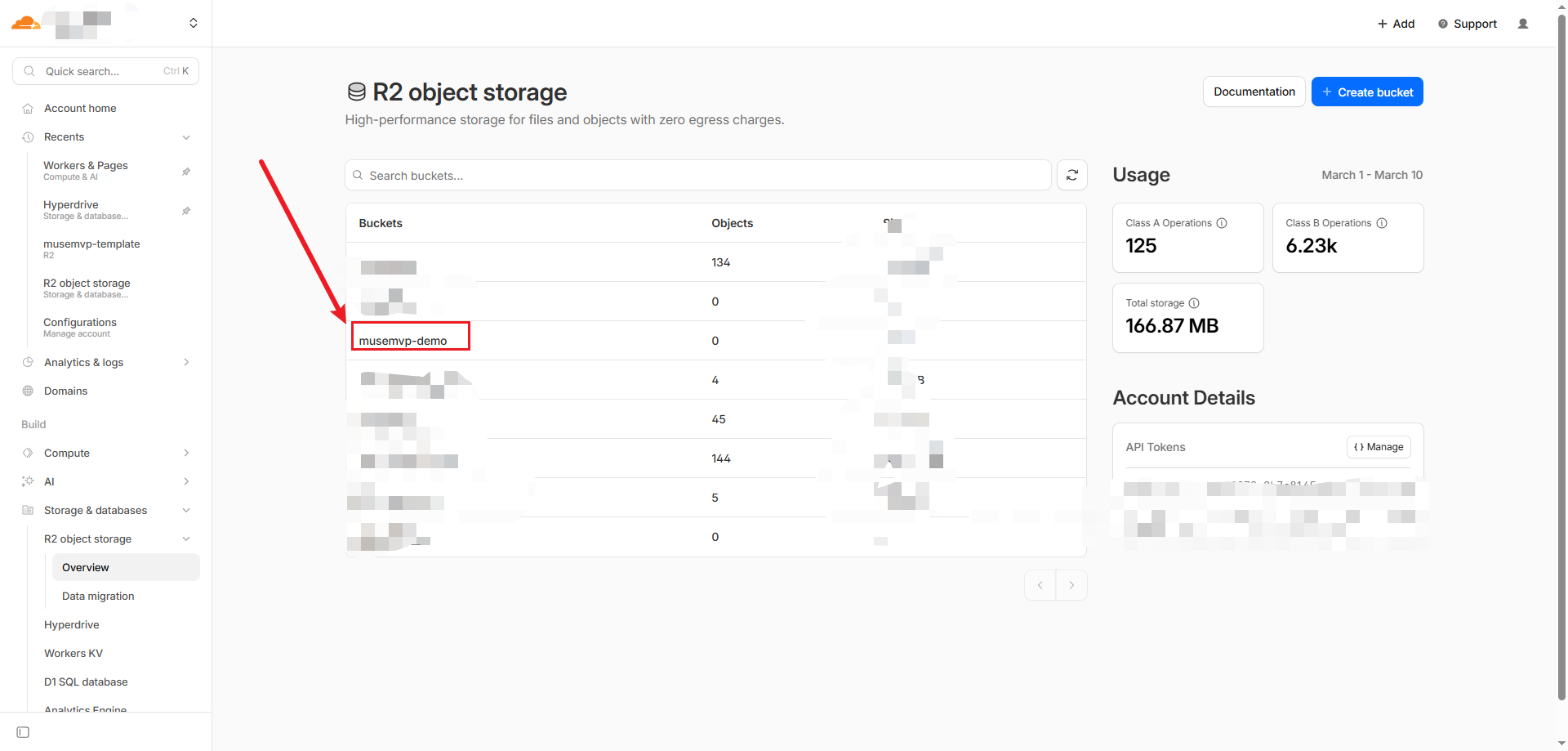
Paste the bucket name into Admin → Runtime settings. It is no longer an environment variable.
Image Proxy Prefix
- Create a Worker and configure your own proxy route based on your deployment environment
export const config = {
  storage: {
    proxyUrls: {
      avatarsFile: resolveUrlValue(
        process.env.NEXT_PUBLIC_AVATARS_PROXY_URL,
        "",
      ),
    },
  },
};
Upload Object Path Rules
Avatar uploads use a two-level path structure:
- Frontend provides a relative path (
path), for example:2026_02_18_avatar_xxx.png - Backend adds a user directory prefix (
userId) as the final object key
Final key format: ${userId}/${path}
Example:
userId = user_abc123path = 2026_02_18_avatar_3f2c...png- Object storage key =
user_abc123/2026_02_18_avatar_3f2c...png
Each user's static assets are stored under their own userId directory, making retrieval, migration, and cleanup easier by user scope.
Proxy Prefix and Access URL
UserAvatar handles two cases:
avatarUrlstarts withhttp: use as-is (full external URL)- Otherwise: concatenate
${config.storage.proxyUrls.avatarsFile}/${avatarUrl}
Recommended Setup
Set config.storage.proxyUrls.avatarsFile (or NEXT_PUBLIC_AVATARS_PROXY_URL) to your CDN or object storage public read URL, e.g. https://static.example.com.
Asset Management Page
Every signed-in user gets a built-in page to browse, preview, download, and delete their own stored files.
Page Route
/app/settings/storage — requires login. Entry points: the account sidebar and the avatar dropdown menu.
API Endpoints
Four endpoints back the page. All are guarded by authMiddleware and mounted under the /assets base path (implementation: src/backend/api/routes/assets/):
| Endpoint | Description |
|---|---|
GET /api/assets | Lists the current user's files with pagination (default 50 per page, max 100) |
GET /api/assets/usage | Returns object count and total bytes (aggregation capped at 10,000 objects) |
POST /api/assets/download-url | Generates a presigned download URL (valid for 900 seconds) |
POST /api/assets/delete | Batch delete (up to 200 keys per request, reports success/failure per key) |
Security Model
- Every operation is strictly scoped to the caller's own
${userId}/prefix - Keys are validated against directory traversal; relative keys are capped at 512 characters
- Preview URLs are built from
config.storage.proxyUrls.avatarsFile— previews only work whenNEXT_PUBLIC_AVATARS_PROXY_URLis configured - When S3 settings are missing in the database, the page shows a "storage not configured" state (error code
STORAGE_ENV_MISSING)
UI Components
The UI lives in src/modules/settings/components/assets/: AssetManager, AssetTable, and AssetActionsMenu.
Required Storage Settings
S3 credentials and the avatars bucket live in Admin → Runtime settings. All three credential fields plus the bucket name must be set; otherwise the backend will not issue upload URLs:
| Setting | Description |
|---|---|
| Access key | Access Key for your S3-compatible service |
| Secret key | Secret Key for your S3-compatible service |
| Endpoint | Service endpoint (for example https://xxx.r2.cloudflarestorage.com) |
| Avatars bucket | Bucket used for avatar and file uploads |
NEXT_PUBLIC_AVATARS_PROXY_URL stays in env. Client components (UserAvatar, AssetActionsMenu) build avatar URLs in the browser and cannot read the database.
When storage settings are missing:
- Backend returns
503with error codeSTORAGE_ENV_MISSING - Frontend shows a warning toast
Related Config Items
storage section in src/config/index.ts:
| Config | Description |
|---|---|
storage.proxyUrls.avatarsFile | Avatar access prefix domain (from NEXT_PUBLIC_AVATARS_PROXY_URL) |
Related Docs
- Tech Stack: Object Storage — S3 compatibility overview
- User Settings — Profile and avatar setup