Turnstile Verification
Integrate Cloudflare Turnstile on auth UI and backend verification pipeline.
MuseMVP uses Cloudflare Turnstile to protect sensitive auth endpoints from bots and abuse. Turnstile is a privacy-friendly CAPTCHA alternative that verifies human users without requiring cumbersome challenges.
Setup Steps
Create a Site
Go to Cloudflare Turnstile and create a site.
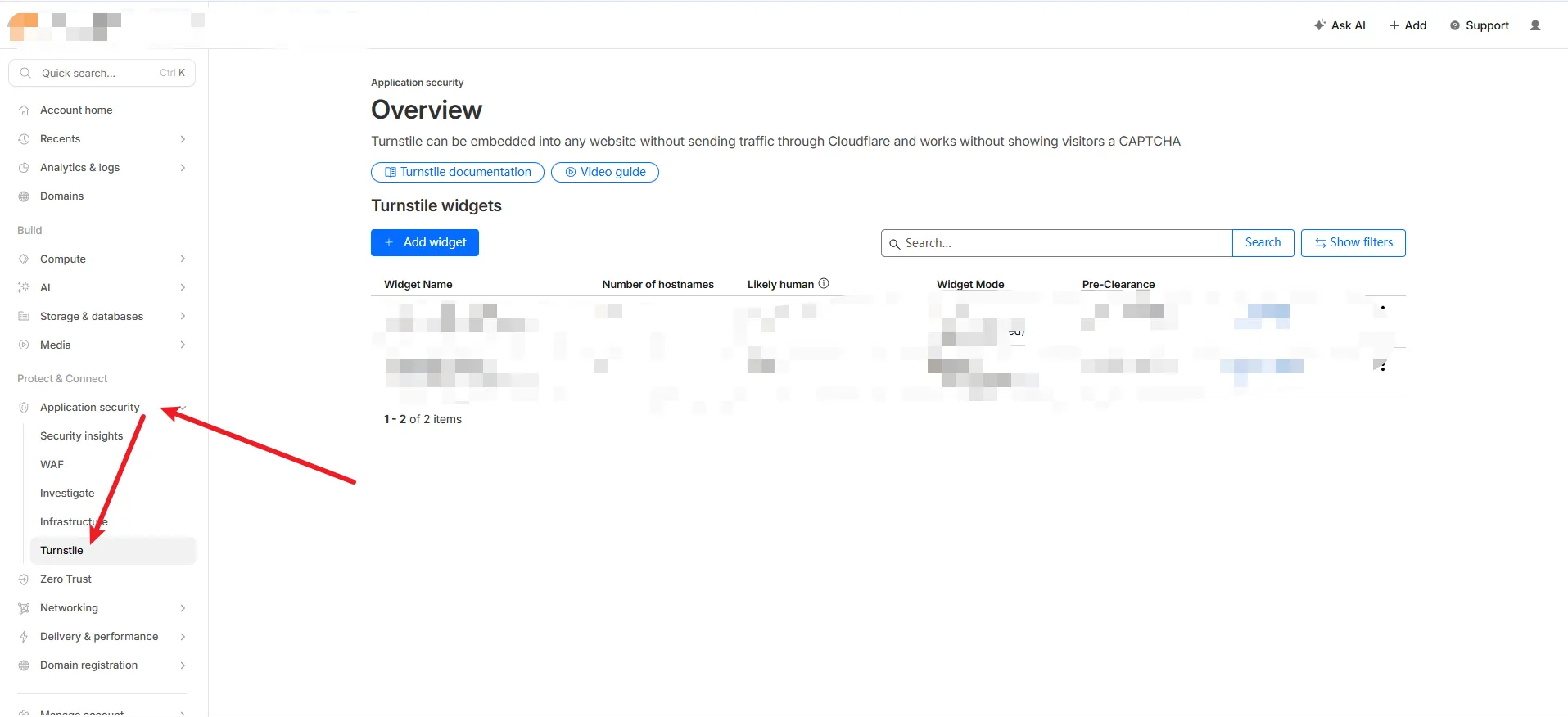
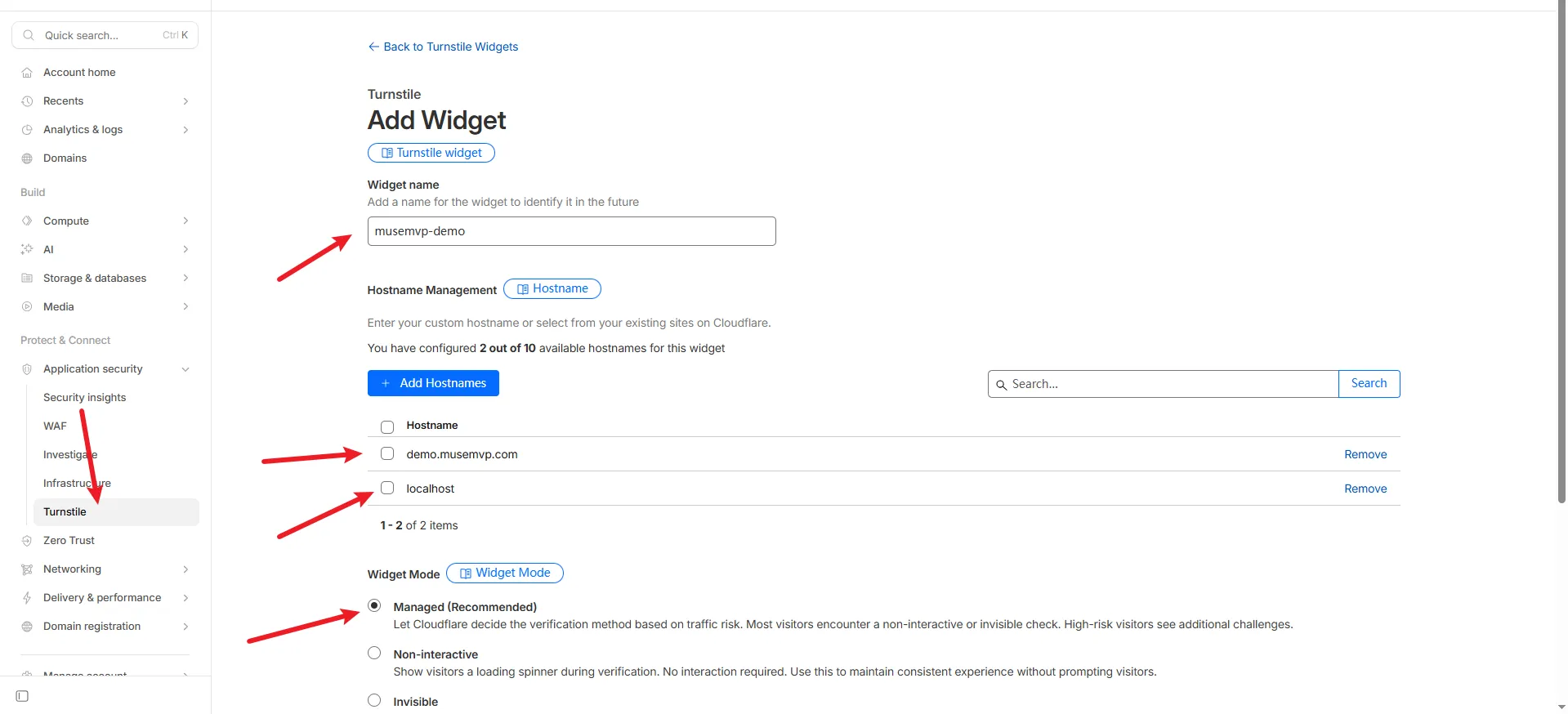
Copy the Site Key and Secret Key.
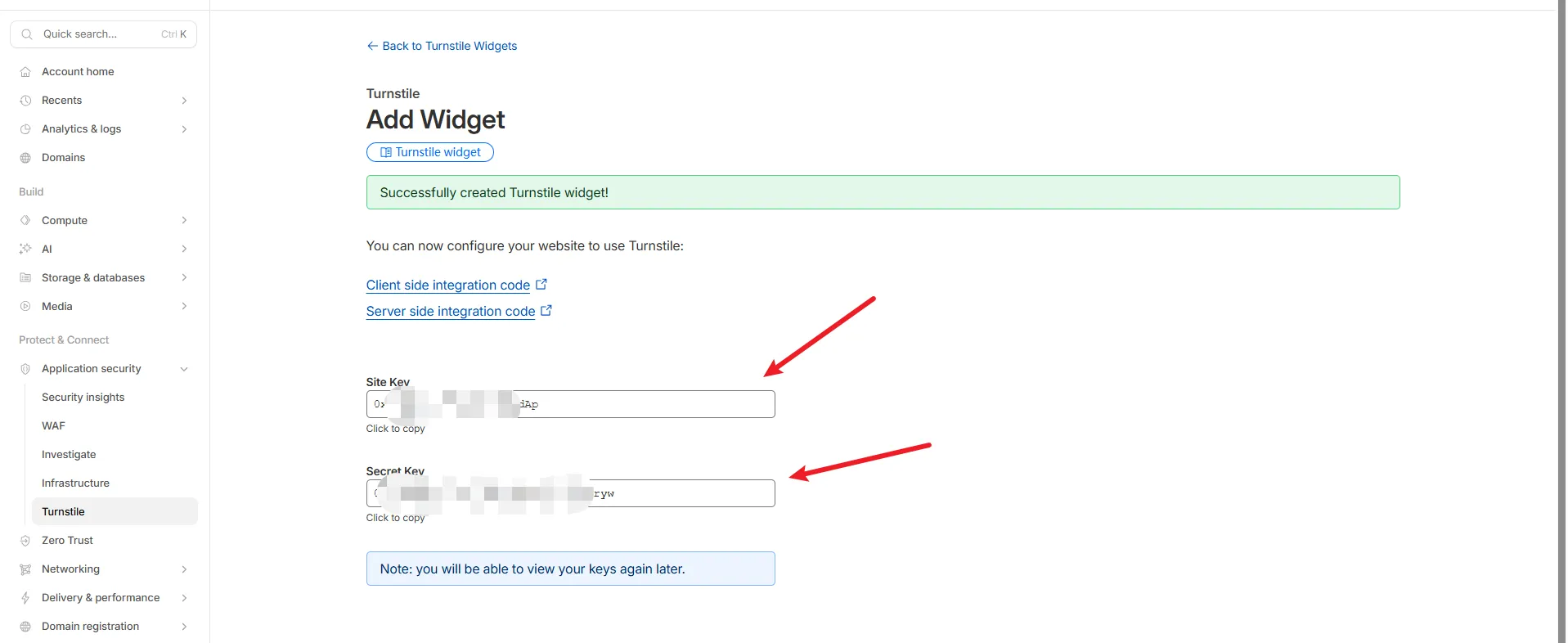
Add NEXT_PUBLIC_TURNSTILE_SITE_KEY and CAPTCHA_SECRET_KEY to .env.
NEXT_PUBLIC_TURNSTILE_SITE_KEY="..."
CAPTCHA_SECRET_KEY="..."
Common Issues
Debug Tip
Verify environment variables, callback URLs, and keys first, then inspect business logic.
| Issue | Solution |
|---|---|
| Widget not rendering | Check NEXT_PUBLIC_TURNSTILE_SITE_KEY is set |
| Verification fails | Ensure CAPTCHA_SECRET_KEY matches the secret from Cloudflare |
| Mixed keys | Test and production keys cannot be mixed across environments |
Optional: Disable Captcha
To disable Turnstile, simply do not set CAPTCHA_SECRET_KEY. The captcha plugin will not load, and the Forgot Password form will hide the captcha UI when captchaConfigured is false.