邮件系统
邮件管道、模板开发、本地预览与 locale 回退规则的完整指南。
MuseMVP 同时支持 Resend 与 Cloudflare Email Sending 作为邮件通道,并使用 React Email 渲染模板。统一的 sendEmail() 入口支持模板模式和原始模式,并支持按 locale 生成邮件主题。
配置步骤
配置服务商凭证
RESEND_API_KEY="re_xxx"配置发件与支持邮箱
NEXT_PUBLIC_EMAIL_FORM="[email protected]"
NEXT_PUBLIC_EMAIL_FORM_SUBSCRIBE="[email protected]"
NEXT_PUBLIC_EMAIL_TO="[email protected]"
NEXT_PUBLIC_EMAIL_SUPPORT="[email protected]"
本地预览
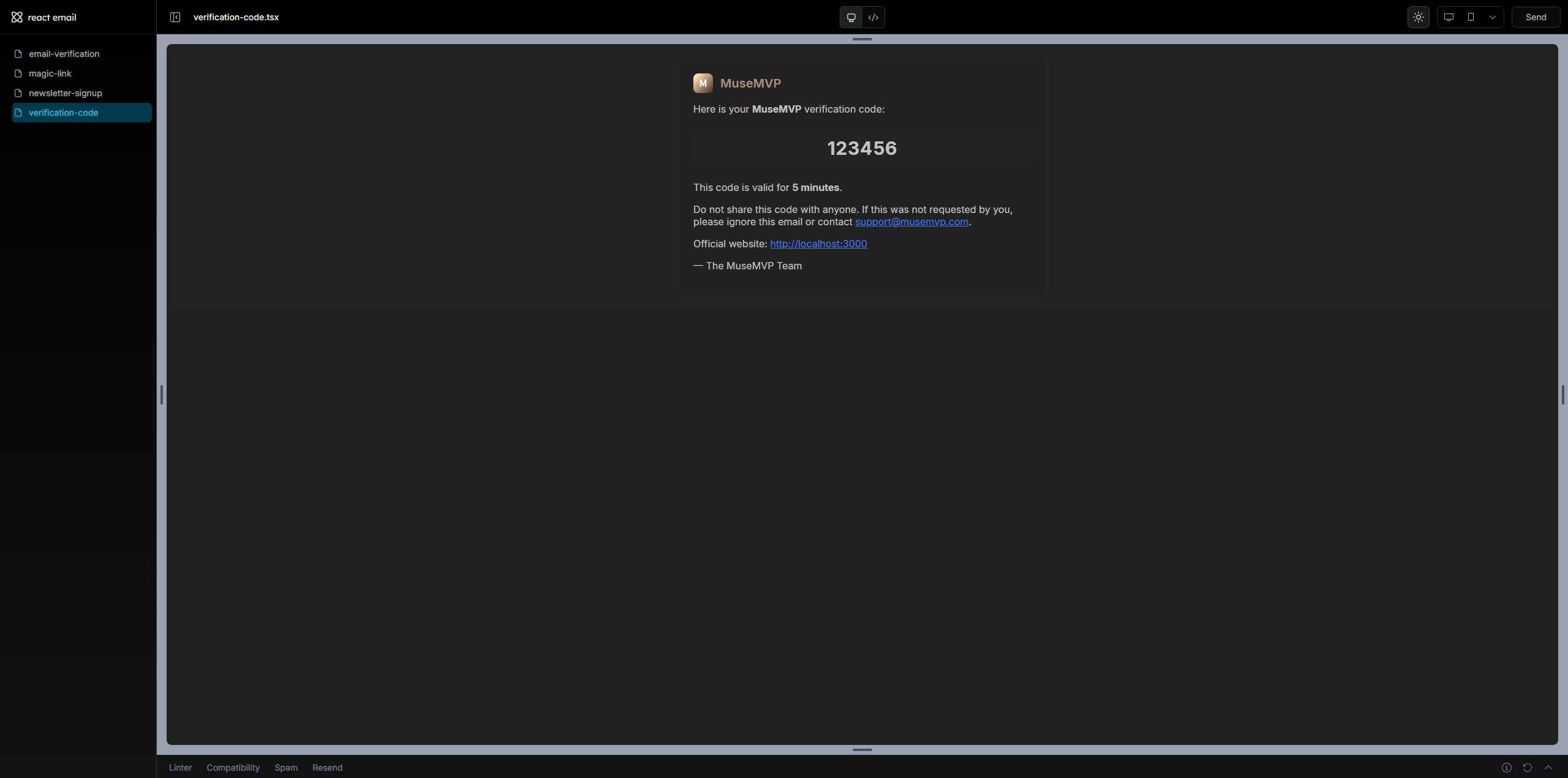
使用内置预览脚本开发和测试模板,无需发送真实邮件:
pnpm mail:preview在浏览器打开 http://localhost:4100 查看所有模板。每个模板文件应有 default export,可选 PreviewProps 便于测试。
添加新模板
1. 创建模板文件
创建 src/modules/mail/templates/account-alert.tsx:
import { Markdown } from "@react-email/components";
import { Wrapper } from "@/modules/mail/components";
import type { BaseMailProps } from "@/modules/mail/types";

export function AccountAlert({ locale, reason }: { reason: string } & BaseMailProps) {
  if (locale === "zh") {
    return (
      <Wrapper locale={locale}>
        <Markdown>账户提醒:{reason}</Markdown>
      </Wrapper>
    );
  }
  return (
    <Wrapper locale={locale}>
      <Markdown>Account alert: {reason}</Markdown>
    </Wrapper>
  );
}

AccountAlert.PreviewProps = { locale: "zh", translations: {}, reason: "demo" };
export default AccountAlert;
2. 注册模板 ID
在 src/modules/mail/templates/index.ts 中添加:
accountAlert: AccountAlert,3. 添加主题翻译
更新 src/i18n/translations/en/mail.json 和 zh/mail.json:
{
  "mail": {
    "accountAlert": {
      "subject": "[{appName}] Account Alert"
    }
  }
}
4. 从后端调用
await sendEmail({
  to: user.email,
  locale,
  templateId: "accountAlert",
  context: { reason: "新设备登录" },
});
常见问题
预览正常但发送失败
先确认 MAIL_PROVIDER,再检查服务商凭证与发件域名/地址配置。
| 问题 | 解决方案 |
|---|---|
| 主题为空 | 确保 mail.json 中存在 mail.<templateId>.subject |
| 模板未找到 | 在 src/modules/mail/templates/index.ts 中注册 |
| Resend 发送失败 | 检查 RESEND_API_KEY,并在 Resend 中完成发件域名验证 |
| Cloudflare 发送失败 | 检查 CLOUDFLARE_ACCOUNT_ID、CLOUDFLARE_API_TOKEN 以及 Email Sending API 权限 |