Authentication
Google OAuth
Configure Google OAuth login for MuseMVP.
MuseMVP supports Google OAuth via Better Auth social providers. Users can sign in or sign up directly with a Google account in one click.
Setup Steps
Create Google OAuth Credentials
Go to Google Cloud Console and create or select a project.
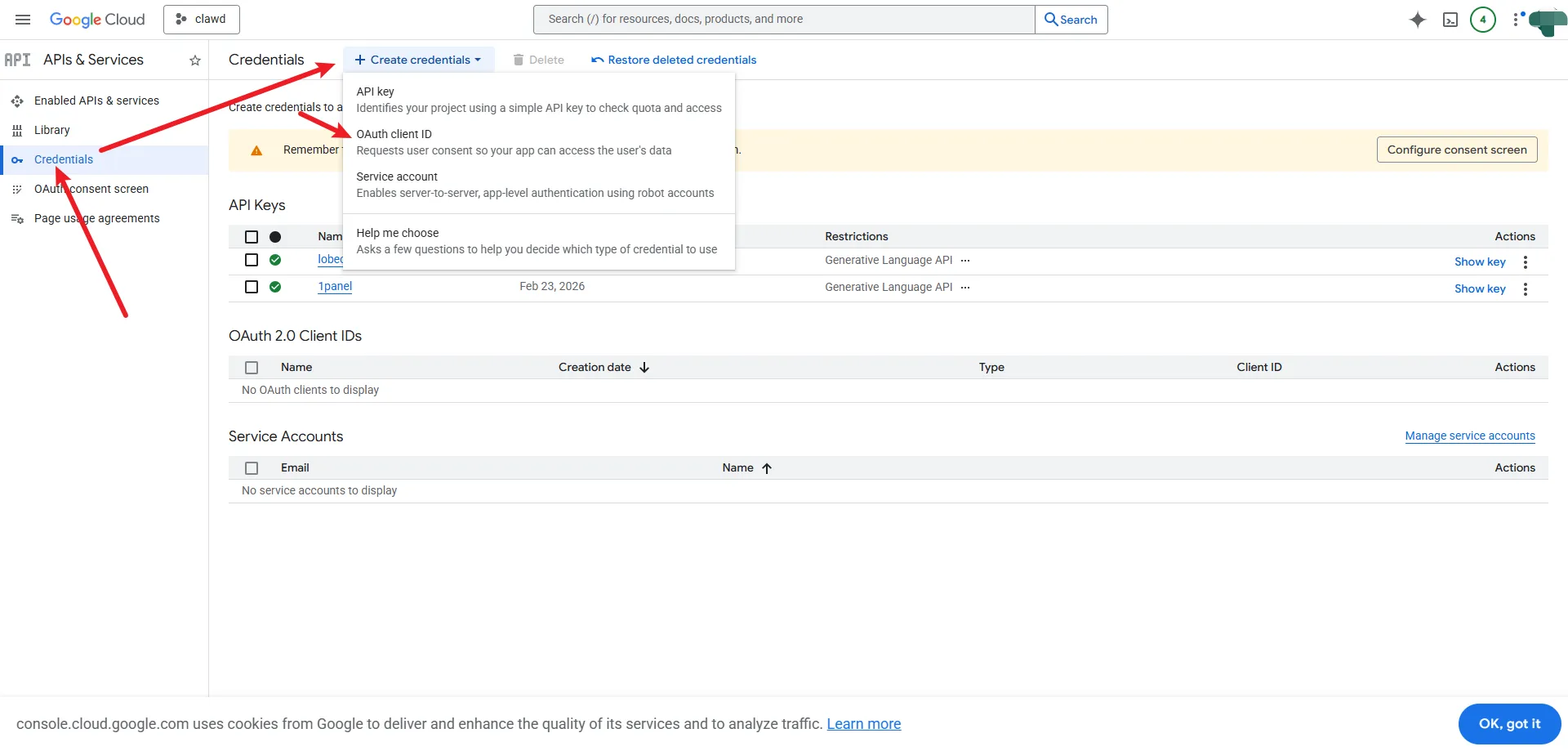

Tip
If you have not configured a Google OAuth app before
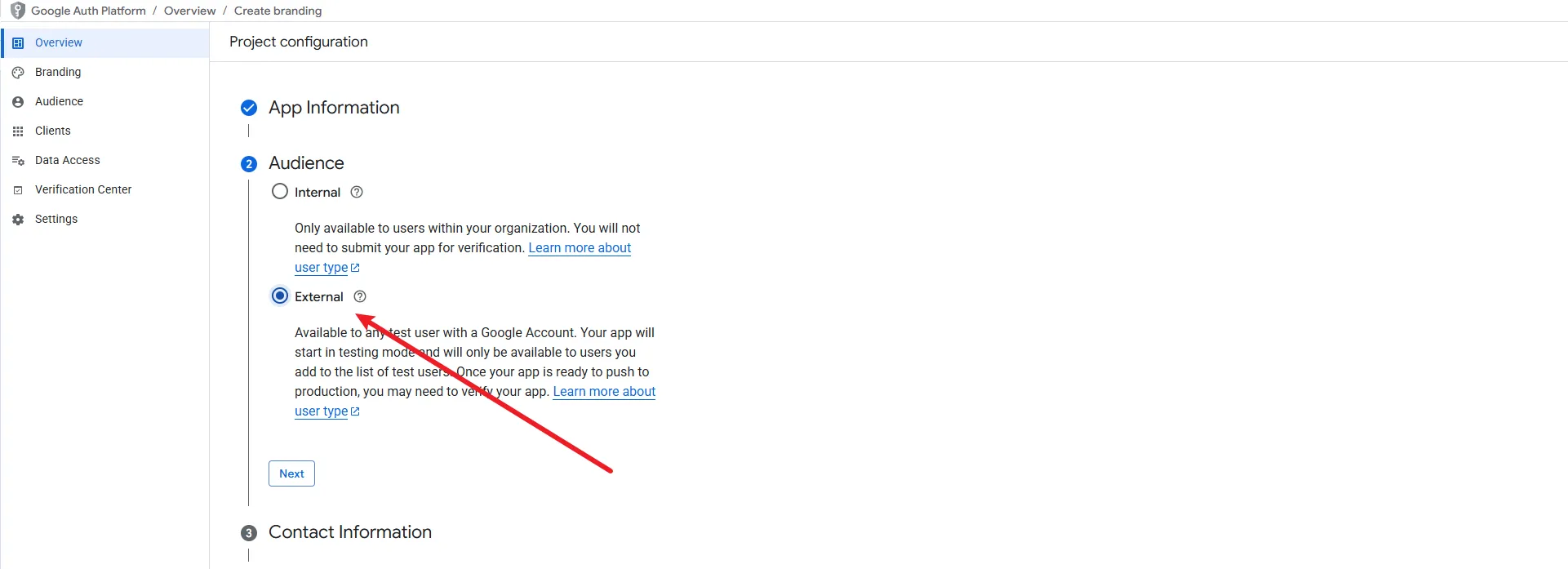
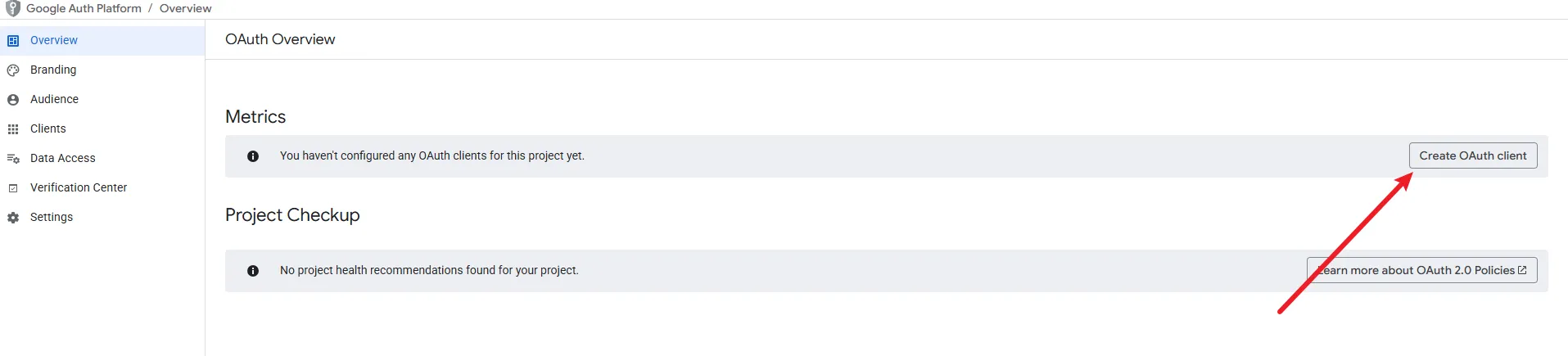
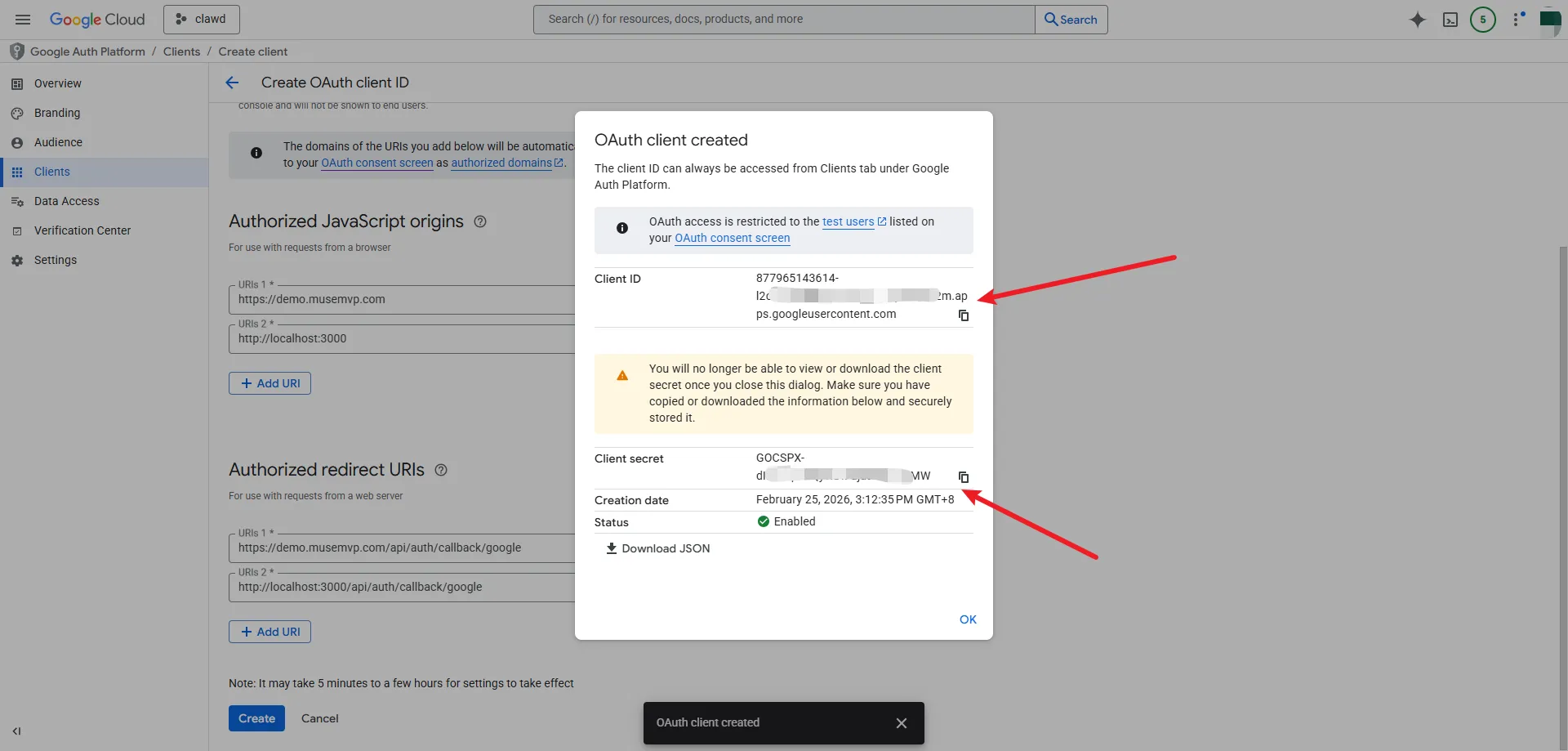
Create OAuth 2.0 Client ID
In APIs & Services → Credentials, create an OAuth client ID, select Web application as the application type, and set Authorized redirect URI to: <your-site-url>/api/auth/callback/google
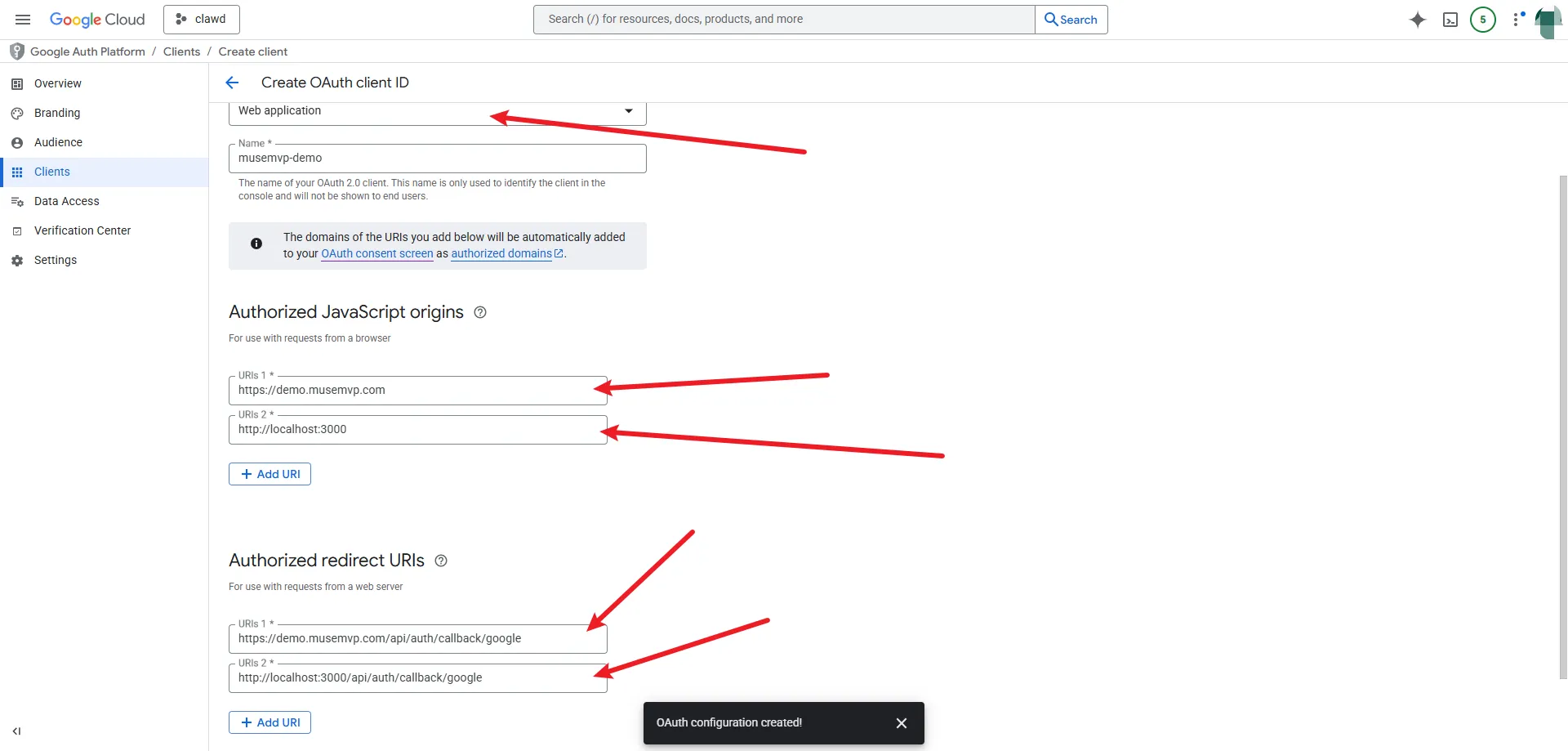
Client ID and Client Secret
Add both values to the selected app’s .env.local; follow Environment Variables for runtime secrets.
GOOGLE_CLIENT_ID="3asfasdfasdfasdftest.apps.googleusercontent.com"
GOOGLE_CLIENT_SECRET="GOCSPX-FSADFASDFFASDuJjNxyMTV-hvj"
NEXT_PUBLIC_GOOGLE_ONE_TAP_CLIENT_ID="3asfasdfasdfasdftest.apps.googleusercontent.com"
Ensure config.auth.gates.allowSocialSignIn is true in packages/config.
Feature Toggle
Social login can be disabled via configuration:
// packages/config
auth: {
  gates: {
    allowSocialSignIn: false,  // Disables Google and GitHub
  },
},