Turnstile Verification
Integrate Cloudflare Turnstile on auth UI and backend verification pipeline.
MuseMVP uses Cloudflare Turnstile to protect sensitive auth endpoints from bots and abuse. Turnstile is a privacy-friendly CAPTCHA alternative that verifies human users without requiring cumbersome challenges.
Setup Steps
Create a Site
Go to Cloudflare Turnstile and create a site.
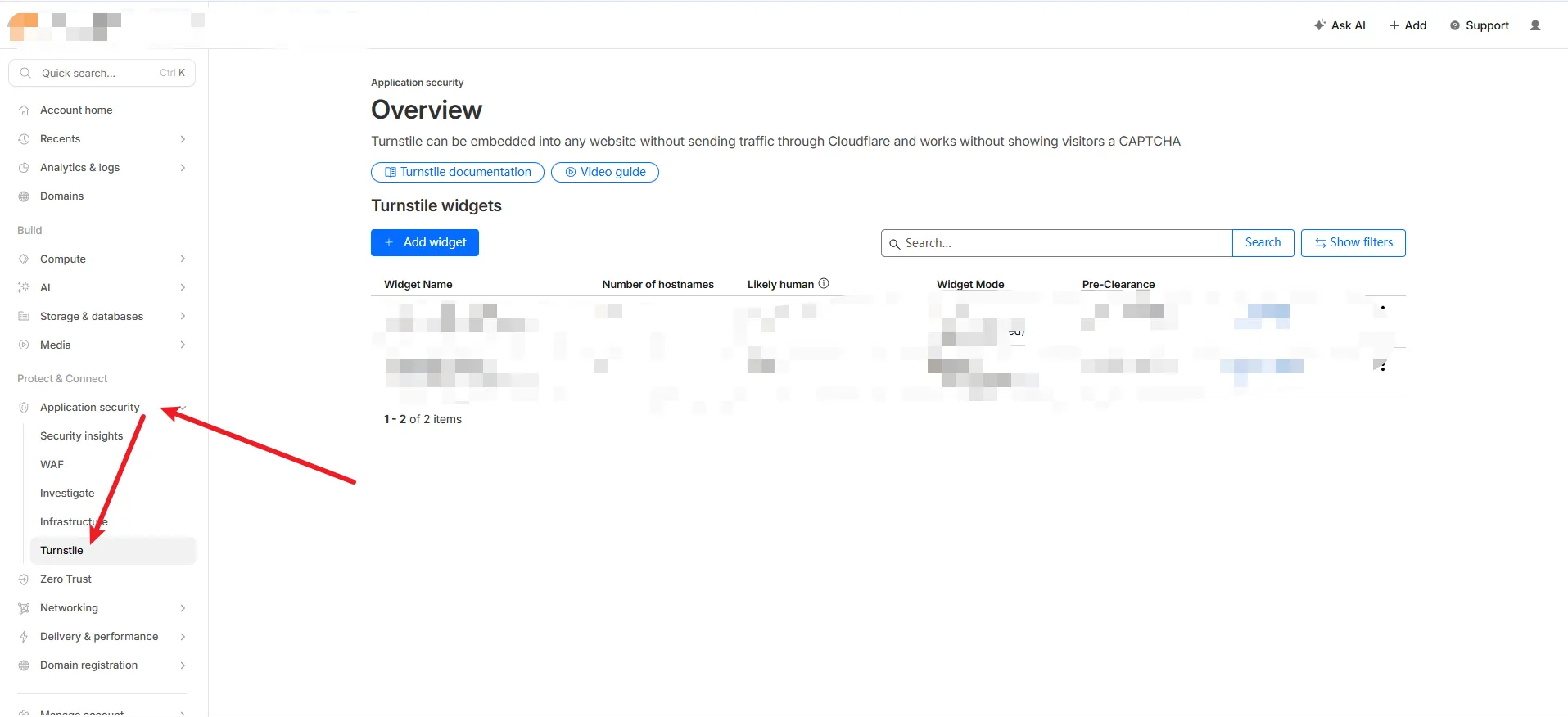
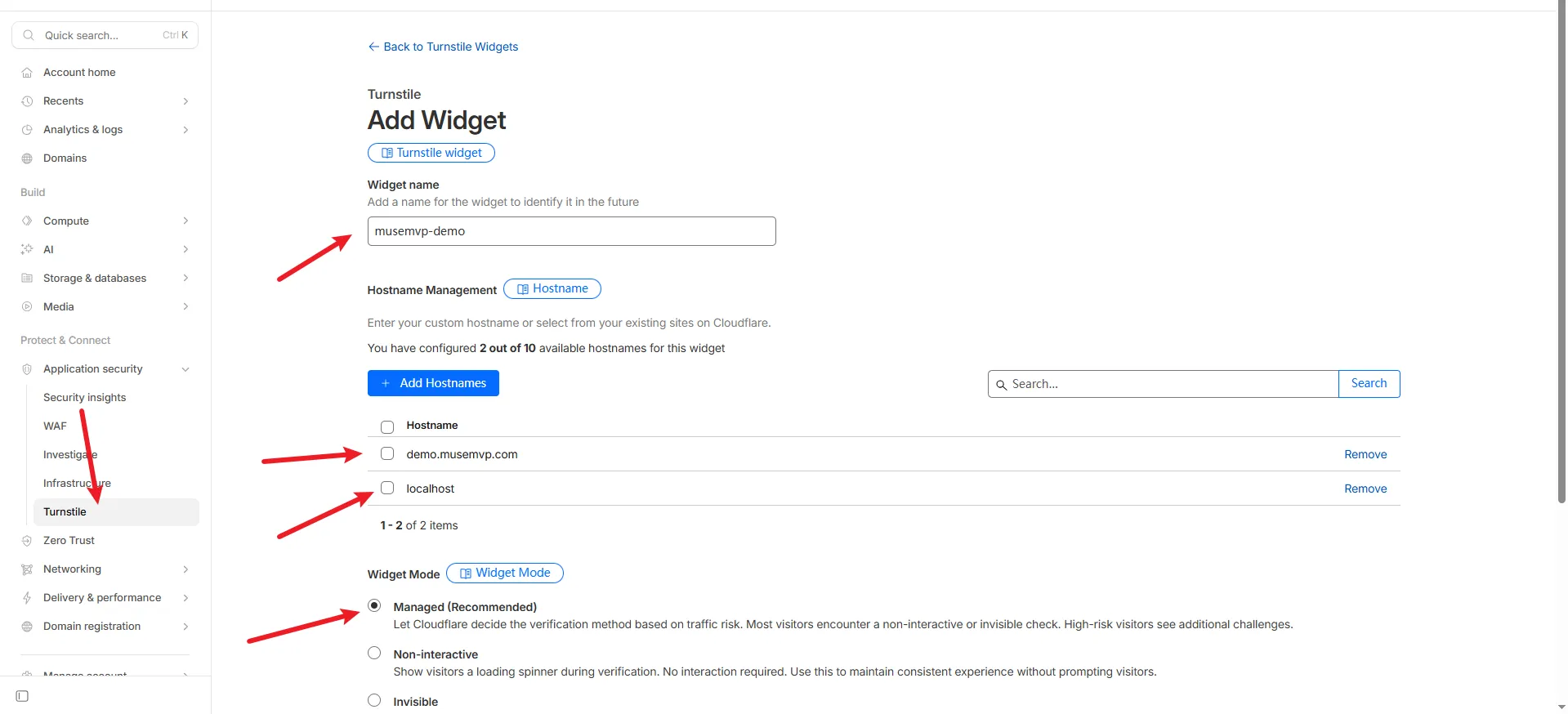
Copy the Site Key and Secret Key.
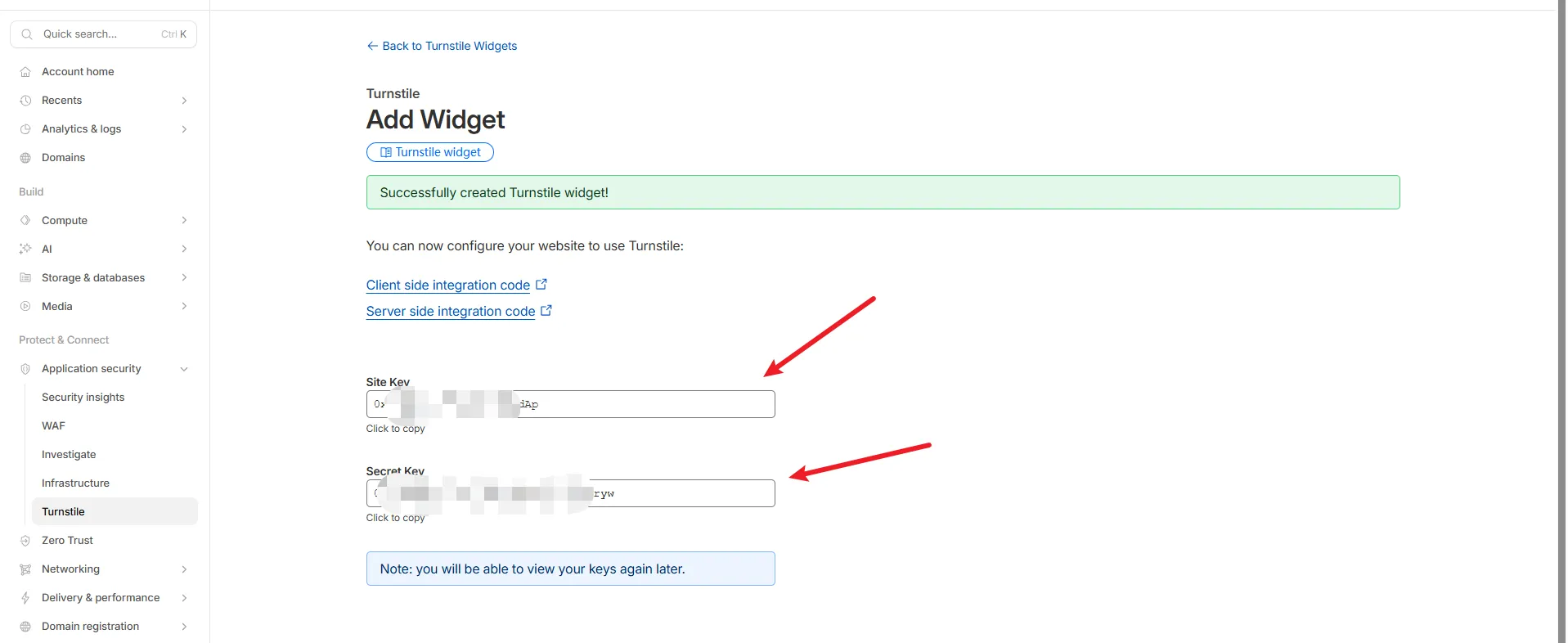
Set NEXT_PUBLIC_TURNSTILE_SITE_KEY and TURNSTILE_SECRET_KEY. The site key is public and build-time. The widget stays off until both are non-empty. Changing them requires a rebuild or a platform secret update.
Common Issues
Debug Tip
Verify both Turnstile env vars first, then inspect business logic.
| Issue | Solution |
|---|---|
| Widget not rendering | Set both NEXT_PUBLIC_TURNSTILE_SITE_KEY and TURNSTILE_SECRET_KEY. The widget stays off until both are non-empty |
| Verification fails | Ensure TURNSTILE_SECRET_KEY matches the secret from Cloudflare |
| Mixed keys | Test and production keys cannot be mixed across environments |
Optional: Disable Captcha
To disable Turnstile, leave either the site key or the secret empty in the app environment. The captcha plugin stays unloaded, and the forgot-password form does not render the widget.
The current Better Auth captcha plugin explicitly configures /forget-password/email-otp and /email-otp/reset-password. Do not assume every signup/login/API endpoint is automatically protected. New protected endpoints need server validation and failure tests.