Stripe
Configure the Stripe gateway.
Use this guide after Connect Payments if you selected Stripe. Start with Stripe test mode, complete a test purchase, then switch credentials and webhook endpoints to live mode when you are ready to launch.
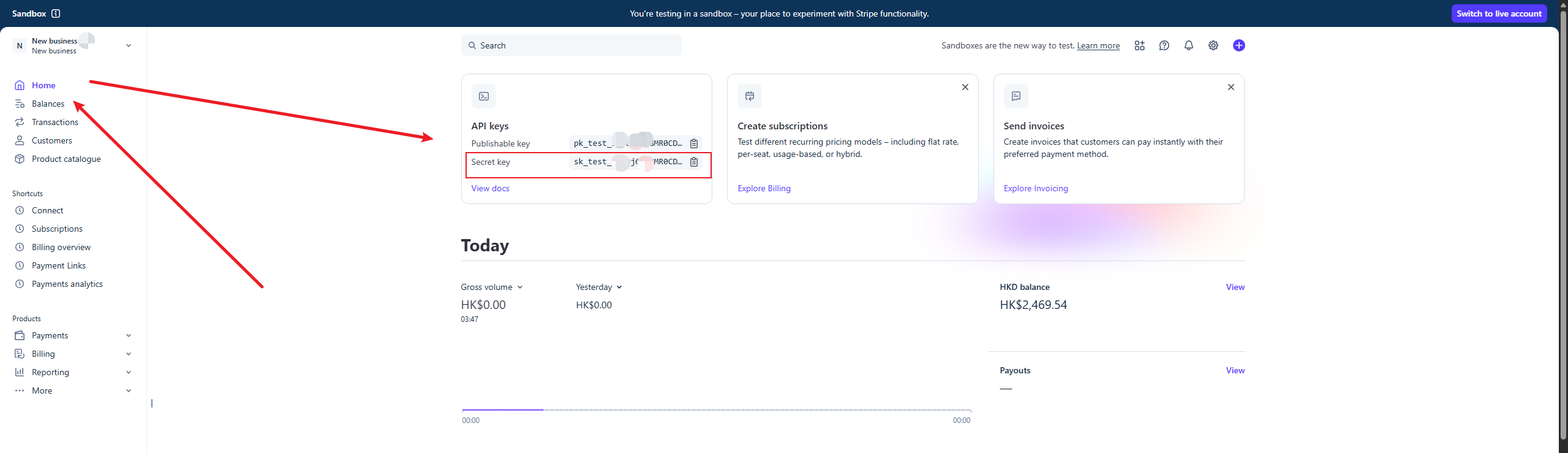
Get the Stripe secret key
Retrieve your key from the Stripe Dashboard and set STRIPE_SECRET_KEY.
Key Security
Keep gateway secrets in env files or the platform secret store. Never expose them to the client or version control.
Get the Stripe webhook secret
Create a webhook:
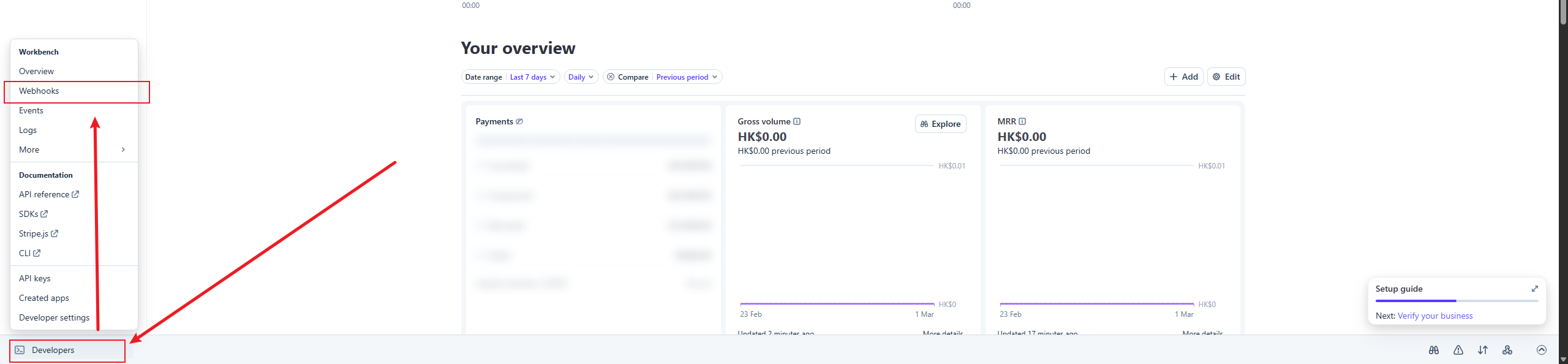 Fill in the callback URL and select event types:
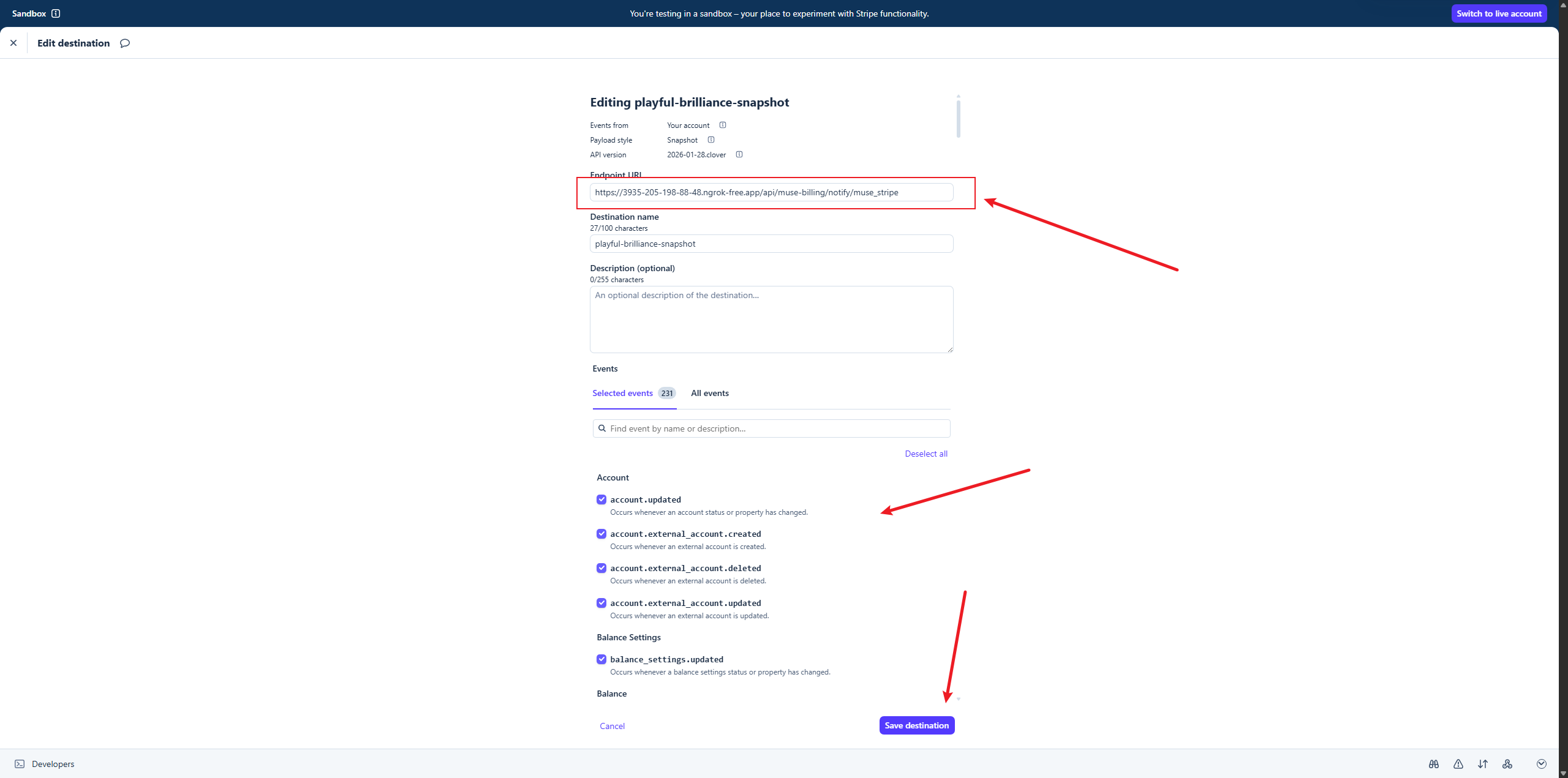
In the Stripe Dashboard, add a Webhook endpoint and set the URL to:
https://example.com/api/muse-billing/notify/muse_stripeSelect the event types to listen for (or all):
checkout.session.completedcustomer.subscription.*invoice.*
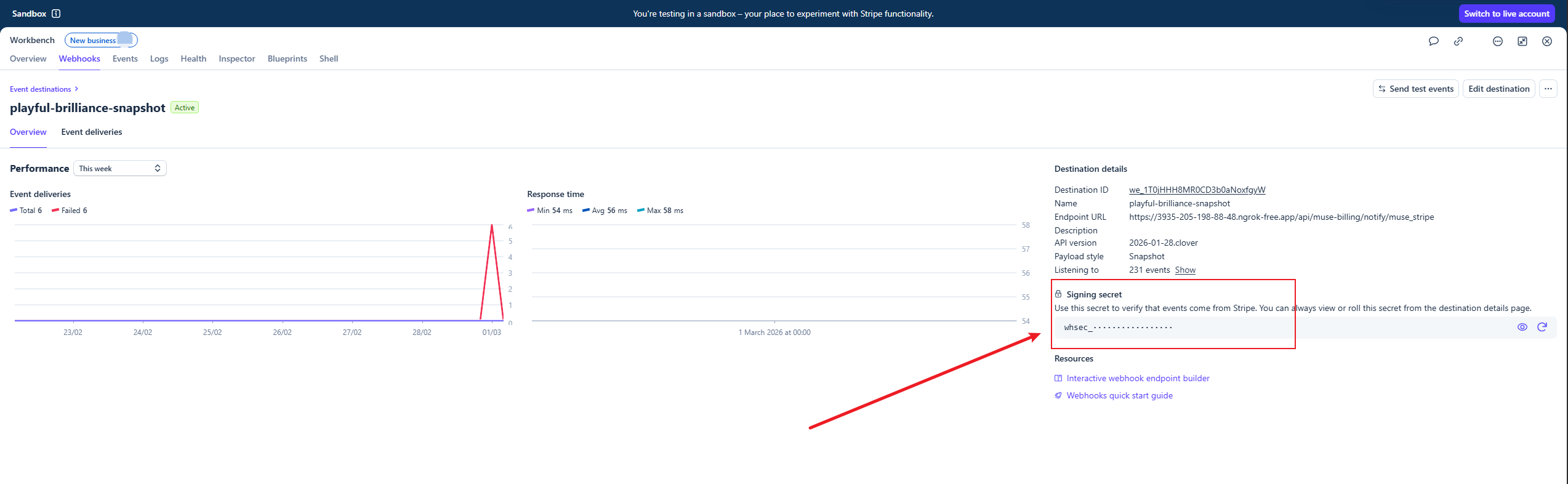
Set STRIPE_WEBHOOK_SECRET to the signing secret from the Stripe webhook endpoint.
Key Security
The webhook secret is a server-side environment variable. A mismatch with Stripe will reject every webhook.
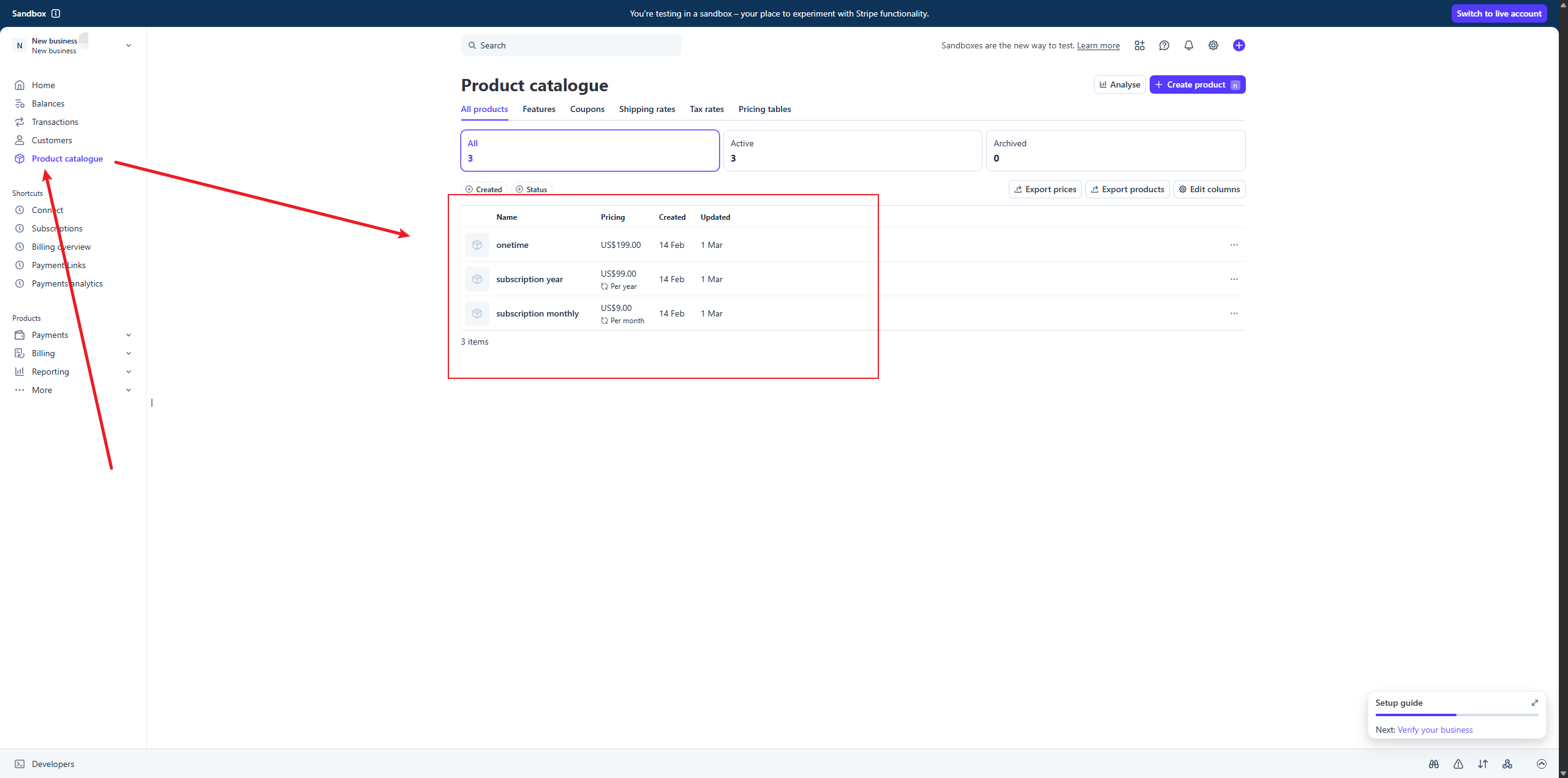
Create Products and Copy Their Price IDs
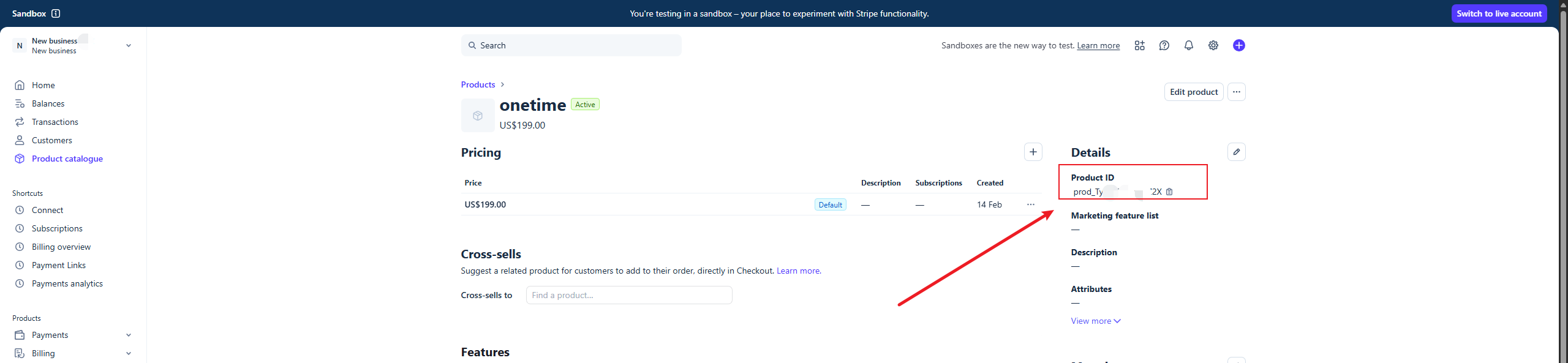
Create a monthly recurring price, a yearly recurring price, and a one-time price for the plans you offer. Despite their variable names, fill these mappings with Stripe Price IDs (price_...), not Product IDs (prod_...):
BILLING_DEFAULT_GATEWAY="muse_stripe"
STRIPE_PRODUCT_ID_PRO_MONTHLY="price_your_monthly_price"
STRIPE_PRODUCT_ID_PRO_YEARLY="price_your_yearly_price"
STRIPE_PRODUCT_ID_LIFETIME="price_your_one_time_price"
Only configure plans you enable. Match the currency, amount, and interval shown in your app to the Stripe prices, and use prices from the same test/live mode as your secret key. The public pricing UI keeps stable app plan IDs.
The current gateway uses a stored Stripe Price when the mapped value starts with price_. Other values use inline price_data built from the app order; they do not automatically select a Stripe Product. Use explicit Price IDs for the Dashboard-managed setup in this guide.
Local Development Testing
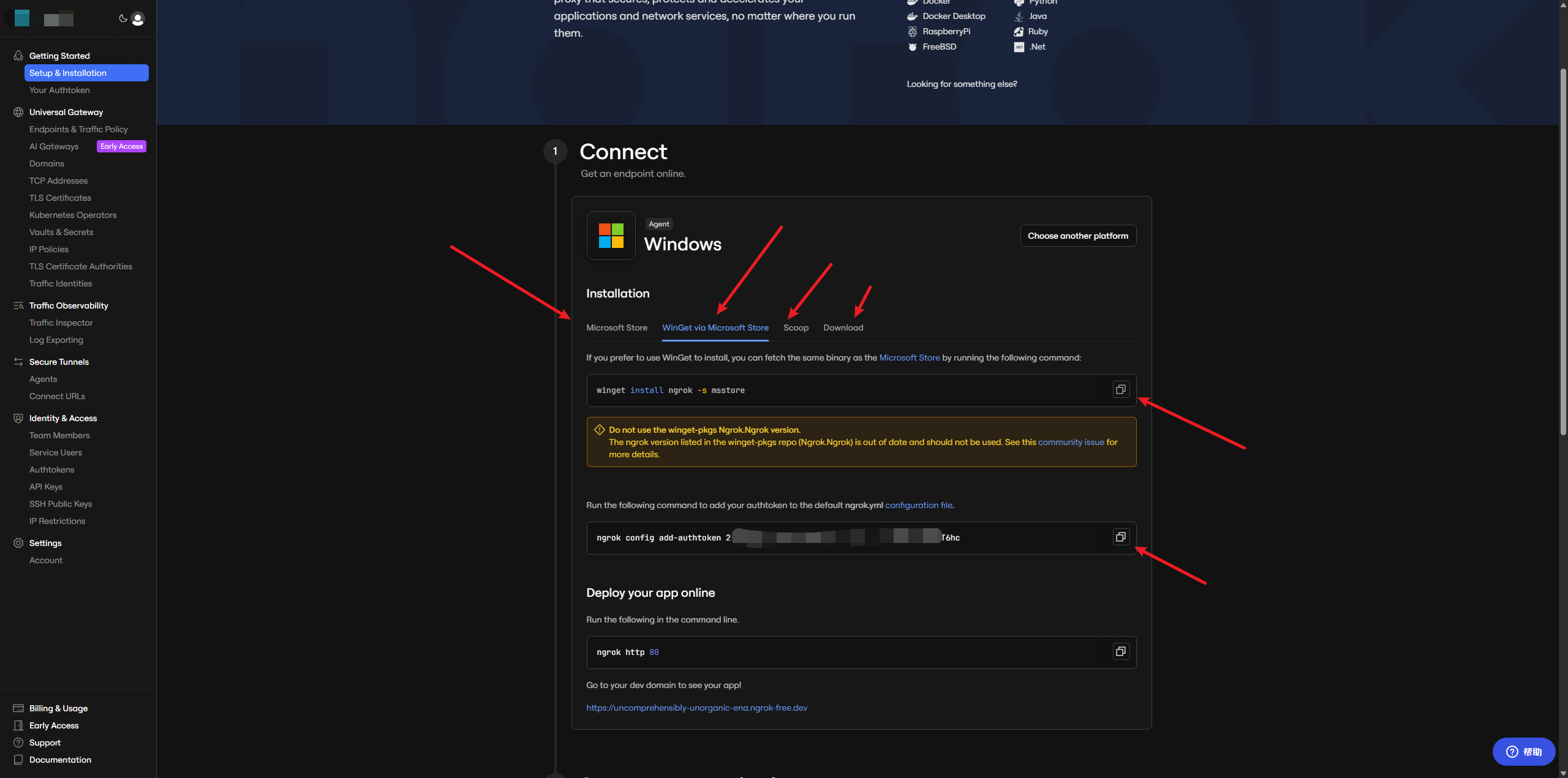
Download Ngrok
Ngrok (https://dashboard.ngrok.com/get-started/setup/windows) is a reverse proxy tool that exposes your local development server to the public internet.
Run
ngrok http 3000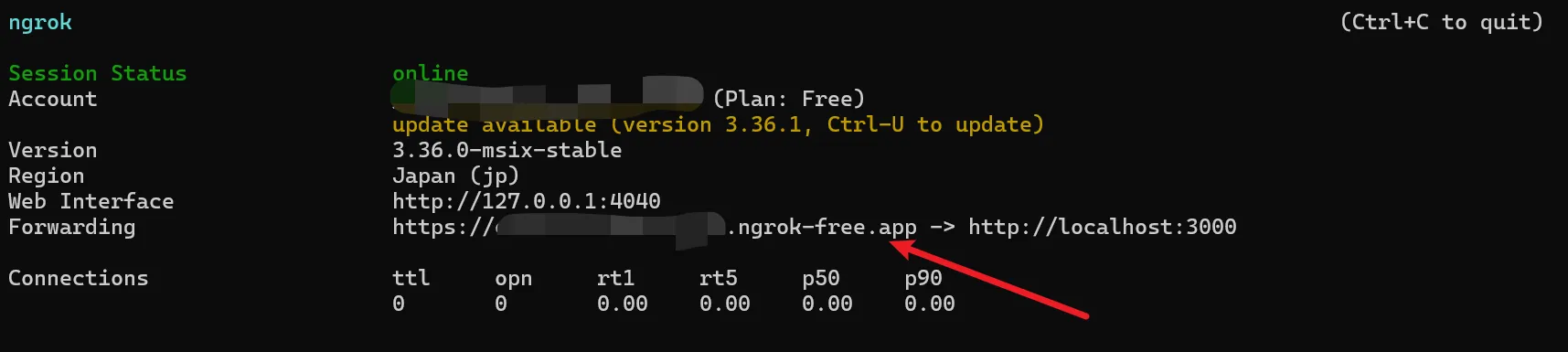
Callback Domain
Use the terminal domain shown above as the callback URL in your webhook configuration.
Test
| Test Card Number | Expected Result |
|---|---|
4242 4242 4242 4242 | Successful payment |
4000 0000 0000 0002 | Card declined |
4000 0000 0000 9995 | Insufficient funds |
4000 0000 0000 0127 | Incorrect CVC |
4000 0000 0000 0069 | Expired card |
Use the test cards above to simulate a production environment locally, covering subscriptions, one-time purchases, payment management, and more.
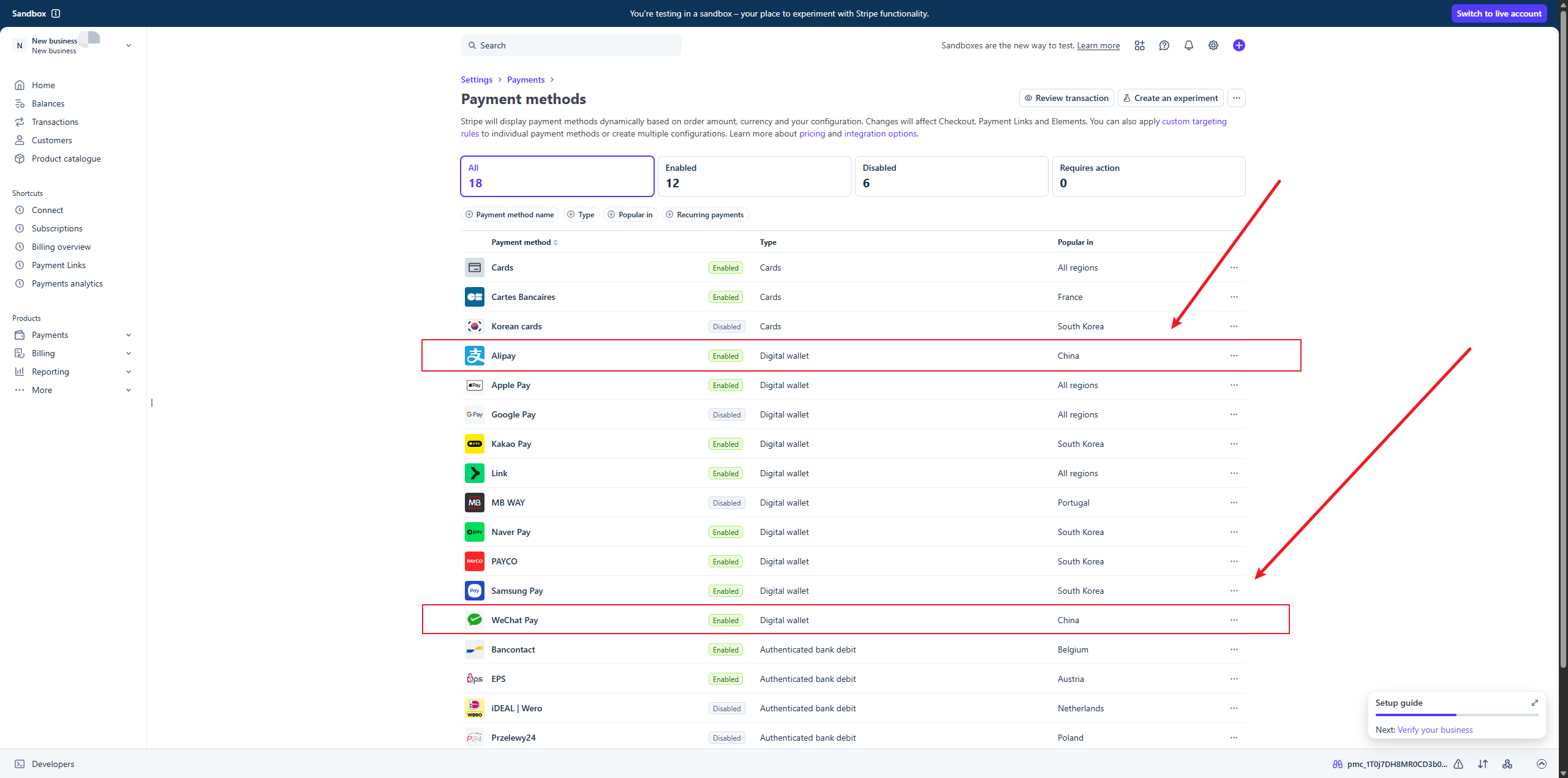
Enable Alipay / WeChat Pay
If your product needs to support Alipay or WeChat Pay, you can enable them in the Stripe Dashboard.
How It Works
Learn how Muse Billing integrates Stripe into the system.
Integration Files
| File | Purpose |
|---|---|
stripe/gateway.ts | Stripe gateway implementation: Checkout Session, Webhook parsing, contract sync. |
services/launch.ts | Checkout orchestration; customer-hub.ts and webhook.ts own the other flows. |
router.ts | API routes: exposes /api/muse-billing/* endpoints. |
Core Workflow
The action flow for payment and accessing the Customer Hub:
Frontend calls POST /api/muse-billing/launch with productId, optional gatewayId (defaults to orchestrator selection), etc.
Server resolves the mapped value from STRIPE_PRODUCT_ID_*; price_ values select a Stripe Price, otherwise the gateway builds inline price data from the order.
Creates a Stripe Checkout Session and returns launchUrl for the frontend to redirect to the checkout page.
After payment, Stripe sends a webhook; the server verifies the signature and syncs contract state to the database.
When the user needs to access the platform portal, call POST /api/muse-billing/customer-hub to get a redirect link to the official Stripe Customer Portal for managing subscriptions or downloading receipts.
Related Docs
- Creem Payment Gateway — Alternative payment gateway
- Dodo Payments Gateway — Alternative payment gateway
- Waffo Pancake Gateway — Alternative payment gateway
- Environment Variables — Gateway credentials and checkout product IDs
- Basic Configuration — Pricing catalog and stable plan IDs