Posted on February 06, 2026
MuseMVP Blog Content Blocks
A live reference for the content blocks supported in MuseMVP blog posts, including when to use each block and what kind of writing it fits best.
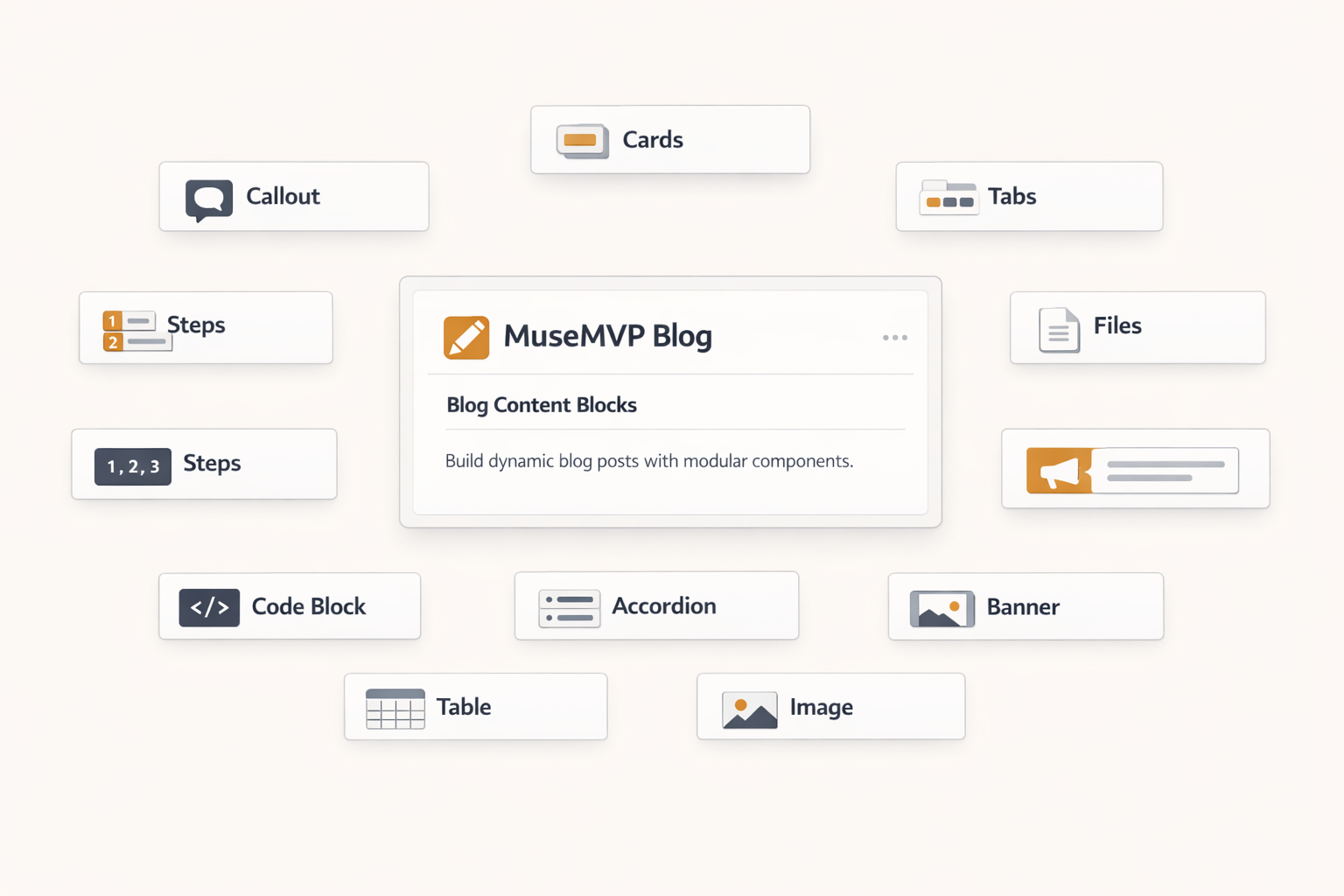
This page is a live reference for the content blocks supported in MuseMVP blog posts.
Instead of using placeholder copy, each section below explains what the block is for, when it works well, and what kind of content it should hold.
How to use this page
Treat it as both a writing guide and a copyable demo. Replace the sample text with your own topic, but keep the block pattern when the structure fits.
Recommended approach
Use plain markdown for most paragraphs, then add richer blocks only when you need emphasis, comparison, navigation, or stronger structure.
Basic Markdown Blocks
Regular markdown is still the default layer for blog writing. Use it for the main narrative, supporting context, and any section that should read continuously without visual interruption.
- Bullet lists work well for short takeaways.
- Numbered lists work well for ordered actions.
- Links are the lightest way to send readers to related pages.
A blockquote is best for one short observation, principle, or memorable line.
| Content shape | Best default | Typical use case |
|---|---|---|
| Ongoing explanation | Paragraphs | Background, reasoning, context |
| Short checklist | Lists | Launch steps, reminders, criteria |
| Small comparison | Tables | Plan differences, options, summaries |
If you need route-level setup details, start with the blog configuration guide.
Callout Highlight Blocks
Use Callout or CalloutContainer when a paragraph deserves more visual weight than the surrounding body copy. They work best for warnings, definitions, strong recommendations, migration notes, or key takeaways.
Good use case
Use a simple Callout when you want readers to notice one important point without breaking reading flow too much.
What to avoid
Do not turn every paragraph into a callout. If everything is highlighted, nothing is actually emphasized.
When the composed version is better
Use CalloutContainer + CalloutTitle + CalloutDescription when the title and body need separate control, such as release notes, rollout guidance, or multi-line reminders.
Cards Navigation Blocks
Use Cards and Card when the reader should branch out from the current article into related docs, product pages, or a deeper reading path. They are especially useful near the middle or end of a long post.
Blog Configuration
See frontmatter rules, publish behavior, and Pro content settings.
Fumadocs Blocks
See the broader component reference used across docs and content.
MuseMVP Docs
See how content and operating guidance can live in the same product system.
Tabs Switch Blocks
Tabs are useful when one section needs multiple views in the same footprint. Typical examples are package-manager commands, platform differences, audience variants, or side-by-side writing patterns.
Simple Tabs
Use the simple Tabs + Tab form for quick two-way or three-way switching.
pnpm install
pnpm dev
Advanced Tabs
Use TabsList + TabsTrigger + TabsContent when each tab needs a clearer label and longer explanation.
Use tabs for plan comparisons, workflow differences, or "option A vs option B" content where readers should switch context without scrolling far.
Steps Process Blocks
Steps and Step are best for onboarding flows, publishing checklists, setup tutorials, or any sequence that should feel linear and easy to scan.
Start with a clear title and excerpt so the blog card and metadata already tell readers what the post will help them do.
Write the main narrative in markdown first, then add blocks only where structure genuinely improves comprehension.
Add visuals, code, or navigation blocks last so they support the story instead of replacing it.
Files Tree Blocks
Use Files, Folder, and File when you need to point readers to exact repository locations. They are much clearer than inline paths when the structure itself matters.
Accordion Fold Blocks
Use Accordions and Accordion when details are useful but should not compete with the main reading path. Good fits include FAQ sections, edge cases, troubleshooting notes, and optional caveats.
Use it when the answer matters for some readers but would interrupt the article for everyone else.
Banner Notice Blocks
Use Banner for short, high-visibility messages such as announcements, limited-time notes, or one-line guidance. It works best when the message is brief and easy to act on.
Inline Navigation Blocks
Use InlineTOC inside long articles when a local section map helps readers jump between major subsections without relying only on the page sidebar.
Writing Tip
Use InlineTOC only when the article is long enough to justify navigation. Short posts do not benefit from extra scaffolding.
Naming Tip
Make section titles concrete. Readers scan headings before they decide whether to keep reading.
When Not to Use It
If a post has only two or three short sections, a local TOC adds more noise than value.
Code Presentation Blocks
Code blocks are useful whenever the exact syntax matters. MuseMVP blog posts support plain fenced code, wrapped CodeBlock, CodeBlockTabs, and DynamicCodeBlock.
Fenced Code Block
Use plain markdown code fences for the simplest examples.
export const postMeta = {
  title: "MuseMVP Blog Content Blocks",
  published: true,
} as const;
CodeBlock and Pre
Use CodeBlock + Pre when you want explicit control inside MDX.
# publish check
pnpm type-check
pnpm lint
CodeBlockTabs
Use CodeBlockTabs when readers may need one of several code variants.
---
title: "Example Post"
excerpt: "Short summary for the blog list."
published: true
---
DynamicCodeBlock
Use DynamicCodeBlock when the code snippet is easier to generate as a string.
export function formatSection(name: string) {return `section: ${name}`;}Media Blocks
Use images when a screenshot, diagram, or visual example explains more quickly than text. In MuseMVP blog posts, standard markdown images are enhanced for zoom, and you can also use ImageZoom directly.


TypeTable Structured Reference Blocks
Use TypeTable when readers need a precise field-by-field reference. It is a better fit than a paragraph when documenting frontmatter, API payloads, config objects, or callback contracts.
Prop
Type